
July 07, 2026 • General • By Sayad Md Bayezid Hosan
MODULE 15: Video Marketing Through YouTube — The Complete A to Z Mega Guide for Beginners
A complete, deeply detailed, beginner-friendly A to Z guide to video marketing through YouTube — how to create and optimize a YouTube channel the right way from day one, how to produce video content that actually retains viewers instead of losing them in the first ten seconds, exactly how on-page YouTube SEO (titles, descriptions, tags, thumbnails, captions) really works in 2026, and how to build the kind of off-page authority and backlinks that drive real, compounding organic Google search traffic to your videos — using high-volume, low-competition keywords instead of fighting for terms you were never going to win.
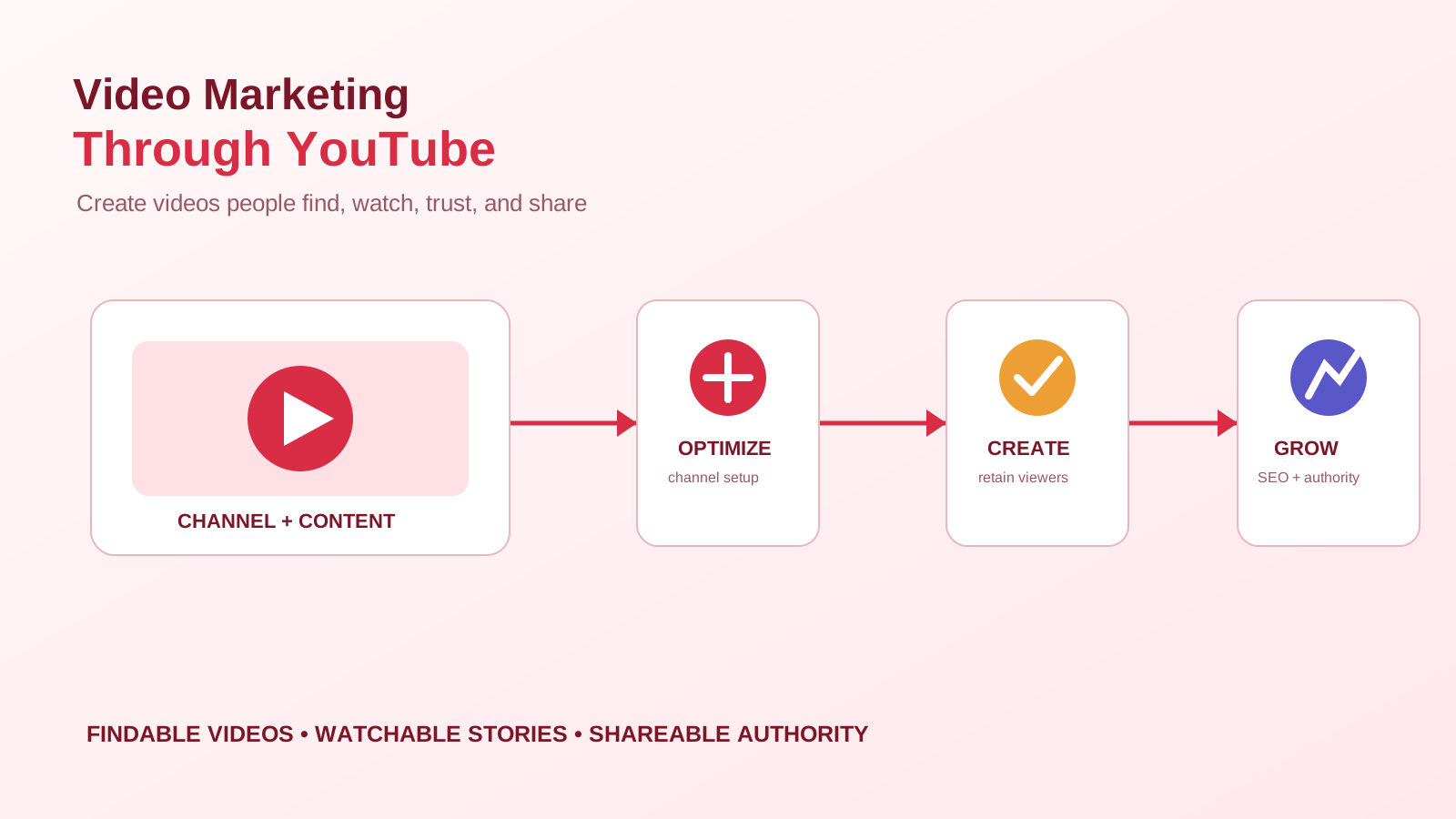
Welcome to Module 15: Video Marketing Through YouTube
Modules 10 through 14 built a complete website SEO system — the three pillars from Module 10, off-page authority in Module 11, algorithm literacy in Module 13, and the full technical foundation in Module 14. This module takes a deliberate turn. We're leaving your website for a moment to talk about the second-largest search engine on the internet, owned by the same company that runs the first one: YouTube.
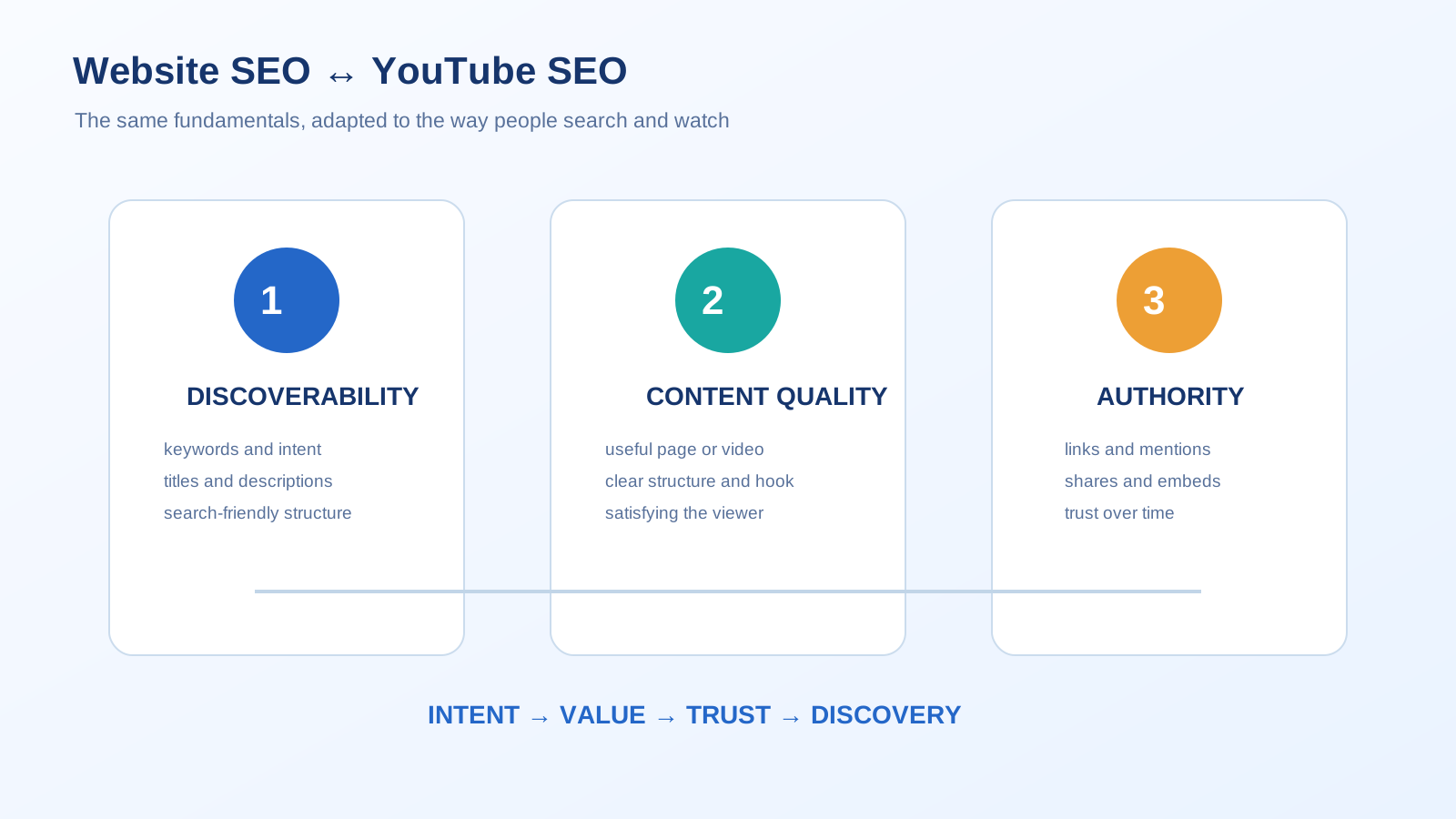
That framing isn't a marketing flourish — it's the single most useful mental model for this entire module. YouTube is not "social media" in the way Instagram or X are. It is a search and recommendation engine that happens to only index video, and because Google owns it, a video that performs well on YouTube can also surface directly inside Google.com's own organic search results. That means everything you already know from this course has a direct parallel here: channel setup is your technical foundation, video metadata is your on-page SEO, and backlinks and embeds are your off-page authority. You're not learning a new discipline in this module — you're applying the one you already have to a new surface.
Before diving in, if you haven't already gone through the earlier modules in this course, I'd recommend starting there, since each module builds on the concepts that came before it:
- Introduction to Online Digital Marketing: A Beginner's Guide
- Module 3: Social Media Marketing (SMM) — Advertising Concepts and Platform Selection
- Module 4: Meta (Facebook) Marketing — The Complete A to Z Mega Guide
- Module 5: Instagram Marketing — The Complete A to Z Mega Guide
- Module 6: X (Formerly Twitter) Marketing — The Complete A to Z Mega Guide
- Module 7: LinkedIn Marketing — The Complete A to Z Mega Guide
- Module 8: Pinterest Marketing — The Complete A to Z Mega Guide
- Module 9: Creating a WordPress Website — The Complete A to Z Mega Guide
- Module 10: Search Engine Optimization (SEO) — The Complete A to Z Mega Guide
- Module 11: Off-Page Optimization — The Complete A to Z Mega Guide
- A Complete Guide to Automated Sitemap Management for Modern SEO
- Module 13: Algorithm Updates and Analysis — The Complete A to Z Mega Guide for Beginners
- Module 14: Technical SEO Optimization — The Complete A to Z Mega Guide for Beginners
- Module 15: Video Marketing Through YouTube — The Complete A to Z Mega Guide for Beginners
Why This Guide Treats YouTube as a Search Engine, Not Just a Platform
Most beginner guides to YouTube marketing are written by people thinking about content. This one is written by people thinking about search — because that's what actually moves the needle, and it's the only frame that makes the rest of this module make sense.
Here's the case for taking that seriously. YouTube processes billions of searches every month, more than every search engine on earth except its own parent company's main product. A meaningful share of the videos that rank well on YouTube also get embedded on external websites, and when that happens with the right structured data in place — a topic we cover in full in Section 4 — the same video can independently earn a spot in Google's main organic search results too. That's two separate traffic sources from one piece of content, and it's exactly why "organic Google search traffic," not just YouTube views, is the right goal to optimize for.
That also means this module holds itself to the same standard the rest of this course does: every keyword claim here is checked against how YouTube's algorithm and Google's structured data guidelines actually work in 2026, not how they worked when tags were still the dominant ranking lever back in 2014. A lot has changed since then, and a guide that hasn't kept up would be actively steering you wrong in Section 3 specifically — which is exactly the kind of stale advice this course's E-E-A-T commitment exists to prevent.
Why You Can Trust This YouTube Marketing Guide (Our E-E-A-T Commitment)
Google's own quality guidelines ask whether content demonstrates real Experience, Expertise, Authoritativeness, and Trustworthiness — E-E-A-T. A guide teaching you to rank on the platform Google itself owns has a specific obligation to get the mechanics right, so here's exactly how this module earns that standard.
Experience. Every tactic in this module is described the way it actually behaves inside YouTube Studio and Google Search Console — not the way it behaved in a five-year-old blog post. Where a specific number is given (a watch-hour threshold, a character limit, a pixel dimension), it's the number currently shown in that tool.
Expertise. This module reflects YouTube's own current guidance on a part of SEO that's genuinely shifted: tags, once the dominant YouTube ranking lever, are now explicitly a secondary, supporting signal behind title, description, and even your video's spoken audio. A guide still telling beginners to spend their limited time stuffing the tags box would be giving advice YouTube itself no longer supports.
Authoritativeness. This is Module 15 in a structured, sequential digital marketing course, building directly on the SEO fundamentals from Module 10, the off-page authority strategy from Module 11, and the schema markup work from Module 14 — which resurfaces directly in Section 4 of this module. It's published under a consistent, named byline across every module in this series.
Trustworthiness. Every tool recommended in this module — YouTube Studio, YouTube's own search autocomplete, Google Trends, Google's Rich Results Test — is free and independently verifiable. Nothing here depends on a paid tool you have to trust blindly, and where a paid tool is mentioned, a free equivalent is given alongside it.
What Is YouTube Marketing? A Clear Definition Before We Start
YouTube marketing is the practice of using YouTube's video platform, search system, and recommendation engine to reach an audience, build authority, and drive traffic — both back to YouTube itself and out to your own website. It rests on the exact same three-pillar structure this course has used since Module 10, just translated to a video-first surface:
- The technical layer — your channel itself: how it's set up, branded, and structured. Covered in Section 1.
- The on-page layer — everything attached directly to a single video: its title, description, tags, thumbnail, and captions. Covered in Section 3.
- The off-page layer — signals that happen outside the video itself: backlinks, embeds, collaborations, and structured data on the pages where your video lives elsewhere. Covered in Section 4.
Sitting in between the technical and on-page layers is Section 2: the actual content itself, because no amount of channel setup or metadata optimization rescues a video nobody wants to finish watching.
1. YouTube Channel Creation and Optimization
Setting Up the Channel Itself
Your channel starts with three decisions that are far more permanent than they feel at the time: your handle (the @name used in your channel URL and mentions), your channel name (the display name shown everywhere), and your category. Where possible, work a core, searchable term for your niche into the channel name itself — "SmartGen Digital Marketing" tells both viewers and YouTube's algorithm what to expect far more clearly than a name with no topical signal at all. Your handle should be short, consistent with your branding on other platforms covered earlier in this course, and free of numbers or underscores tacked on because the plain version was taken by an inactive account.
Channel Art: The Specs That Actually Matter
Three visual assets make up your channel's branding, and getting the dimensions right the first time avoids blurry, awkwardly-cropped art later:
| Asset | Recommended Size | Notes |
|---|---|---|
| Profile picture | 800×800px | Displays as a circle — keep important detail centered |
| Banner (channel art) | 2560×1440px | Safe area of roughly 1546×423px in the center displays consistently across TV, desktop, and mobile |
| Video watermark | 150×150px | Appears in the corner of your videos; used for a subscribe prompt |
Writing a Channel Description and About Section That Actually Works
Your channel's About section is one of the most overlooked pieces of on-channel SEO. Treat the opening lines like a mini meta description: state clearly who the channel is for and what it covers, using the same core keywords you want the whole channel associated with, before it gets cut off in preview. This is also where your channel keywords field (found in YouTube Studio under Settings → Channel → Basic Info) does quiet, ongoing work — think of it as a site-wide tag list that helps YouTube place your entire channel in the right topic cluster, not just an individual video.
The Channel Trailer
A channel trailer plays automatically for non-subscribed visitors who land on your channel page, and its only job is converting a browser into a subscriber within the first 30-60 seconds. Treat it like the hook of every individual video, covered in Section 2 — lead with what the channel is about and why someone should stay, not a slow logo animation.
Verification, Links, and Advanced Features
Phone-verifying your channel (Settings → Channel → Feature Eligibility) unlocks longer uploads, custom thumbnails, and live streaming — all prerequisites for the on-page tactics in Section 3, so this is worth doing on day one rather than after you hit a wall. Add your website and social links to your channel's links section so viewers arriving from a search result have an immediate, low-friction way to reach the rest of your digital presence covered in earlier modules.
YouTube Partner Program: What Monetization Actually Requires in 2026
YouTube restructured monetization into two tiers in 2026, and it's worth knowing both even if income isn't your immediate goal, since the lower tier unlocks genuinely useful features earlier than most beginners expect:
- Early access tier: 500 subscribers, 3 public videos posted in the last 90 days, and either 3,000 valid public watch hours (in the past 12 months) or 3 million Shorts views (in the past 90 days). This unlocks Super Thanks, channel memberships, and YouTube Shopping — not full ad revenue.
- Full monetization tier: 1,000 subscribers and either 4,000 valid public watch hours (12 months) or 10 million Shorts views (90 days). This unlocks the complete Partner Program, including Watch Page and Shorts Feed ads.
Both tiers additionally require no active Community Guidelines strikes, two-step verification enabled on your Google account, a linked AdSense account, and residency in an eligible country. One detail that trips creators up: watch time earned specifically through the Shorts feed doesn't count toward the long-form watch-hour thresholds — Shorts have their own separate views-based path instead.
Playlists as Channel Architecture
Just as Module 14 covered site architecture for websites, playlists are the architecture of a YouTube channel. Grouping related videos into clear, thematic playlists does two things at once: it helps new visitors find a logical next video to watch, and it directly extends session duration — one of the algorithm's most heavily weighted signals, covered in full in Section 3. An unorganized channel with fifty standalone uploads gives the algorithm no reason to recommend a second video from you; a channel with tight, well-labeled playlists gives it every reason to.
Common Channel Setup Mistakes Beginners Make
The most common early mistake is treating channel setup as a one-time task completed on launch day and never revisited — channel keywords, the About section, and the trailer all deserve a fresh look every few months as your content and niche focus evolve. A close second is skipping phone verification and only discovering the custom-thumbnail restriction after uploading a video that badly needs one. And a third is leaving playlists as an afterthought until a channel already has dozens of disorganized uploads, at which point the reorganization work is far larger than it would have been from day one.
2. Effective Ways to Create Video Content for Digital Marketers
Building Content Pillars Before You Build Videos
A business or marketer's channel performs best when it's built around 3-5 content pillars — recurring themes that map to what your actual audience searches for, rather than whatever topic feels inspiring on a given day. For a digital marketing channel, that might look like tutorials, tool walkthroughs, case studies, and industry news reactions. Pillars give the algorithm a consistent topical signal (directly supporting the channel-authority point from Section 1) and give viewers a reason to expect, and search for, more of what they already liked.
The Video Formats Digital Marketers Actually Use
A handful of formats cover almost every need for a business channel: tutorials and how-tos (the highest search-intent format, and the natural home for the keyword strategy in Section 3), product or tool demonstrations, case studies and results breakdowns (strong trust-building content, reinforcing the Experience pillar of E-E-A-T), talking-head explainers, and short-form clips repurposed from longer content. Mixing formats keeps a content pillar from feeling repetitive while still reinforcing the same core topics.
The First 8 Seconds: Why the Hook Is Not Optional
This is the single most consequential piece of content advice in this section. A viewer who closes a video within the first ten seconds effectively removes it from future promotion — the algorithm reads that as a rejection, not a neutral non-event. Moving your actual hook — the clearest, most specific reason to keep watching — into the first 8 seconds of a video, ahead of any intro animation or channel branding, is one of the highest-leverage single edits a creator can make, and can measurably improve average view duration. State exactly what the viewer will get and why it matters before you do anything else.
Production Priorities: Audio Beats Video, Every Time
Beginners consistently over-invest in camera quality and under-invest in audio, and it's backwards: viewers will tolerate mediocre video far more readily than they'll tolerate audio that's muffled, echoey, or inconsistent in volume. A basic external microphone paired with a phone camera will outperform a professional camera with built-in audio in almost every retention metric that matters. Stable framing and consistent, even lighting (even just facing a window) round out the basics that matter far more than equipment cost.
Editing for Retention, Not Just Polish
Editing choices should be evaluated by one question: does this keep someone watching? Cutting dead air and filler words tightens pacing without losing content. B-roll footage placed over a talking-head segment gives the eye something new without interrupting the audio track. On-screen text reinforcing key points helps viewers watching without sound — an increasingly large share on mobile — stay oriented. None of this should come at the cost of clarity; a fast-paced video that's confusing loses viewers just as fast as a slow one.
Long-Form vs. Shorts: A Decision Framework, Not a Competition
Long-form video builds the deep watch-hour totals that unlock full monetization (Section 1) and gives the most room for the search-intent-driven tutorials that perform best in Section 3's keyword strategy. Shorts offer a faster discovery path to new audiences and their own monetization route through view count rather than watch hours. The two aren't competing formats — the strongest channels use Shorts as a discovery funnel that feeds long-form content, repurposing a key moment, a hook, or a single tip from a longer video into a vertical clip that links back to the full version.
Repurposing: Turning One Video Into a Week of Content
A single well-produced long-form video can reasonably become three to five Shorts (individual key moments or tips), one blog post version for your own website (which, as Section 4 covers, creates a genuine SEO asset), and several social clips for the platforms covered in Modules 4 through 8 of this course. Building this repurposing step into your production process from the start — rather than treating it as a separate task after the fact — is the difference between one piece of content and a full week of distributed touchpoints from the same recording session.
Consistency Over Frequency
A predictable weekly or biweekly upload schedule that you can actually sustain outperforms an ambitious daily schedule that collapses after three weeks. Consistency signals channel activity and reliability to both the algorithm and your audience; an erratic schedule does the opposite, regardless of how good any individual video is.
Common Content Mistakes Beginners Make
The most common mistake is opening with branding — a logo animation, a "hey guys, welcome back" — before delivering any actual value, burning through the critical first 8 seconds on nothing the algorithm rewards. A close second is prioritizing production value over audio quality, and a third is abandoning a content pillar after two or three videos before it's had a chance to build topical authority, chasing a completely different topic instead.
3. On-Page SEO for YouTube Video
YouTube Keyword Research: Where to Actually Start
YouTube keyword research starts inside YouTube itself, not a third-party tool. Typing a seed term into the search bar and noting what YouTube's autocomplete suggests reflects real, current search behavior from actual viewers — this is free, requires no account, and should be the first step for every video you plan. Google Trends adds a second free layer, letting you compare relative interest between candidate topics and phrasings over time. Free tiers of dedicated tools like TubeBuddy and vidIQ layer on search volume and competition estimates once you've narrowed a shortlist from autocomplete.
Finding High-Volume, Low-Competition Keywords
This is worth its own dedicated process, since chasing the biggest, most obvious keyword in a niche is usually the slowest path to actually ranking. A few practical signals point to lower-competition opportunity: long-tail, specific phrasing ("technical SEO audit checklist for beginners" rather than just "SEO") naturally has less competition than a short head term while still carrying real search volume in aggregate. Question-based and tutorial-format queries ("how to," "what is," "step by step") tend to have more room than broad topic terms, since they require a creator to actually answer something rather than just exist. And a genuinely useful manual check: search your candidate keyword and look at the top-ranking videos' view counts relative to the size of the channels that posted them — a keyword where small or mid-sized channels are regularly outperforming their normal view averages is a signal that search demand is outpacing existing supply, which is exactly the gap a new or growing channel can fill.
Title Optimization
Your title carries the most metadata weight of any single element. Place your primary keyword as early in the title as possible — YouTube weighs the first portion of a title most heavily, and front-loading also protects against truncation in search results and suggested-video thumbnails. The strongest titles do two jobs simultaneously: they contain the exact phrase a viewer would search, and they create enough specificity or curiosity that a human actually wants to click. Avoid vague cleverness that hides what the video is about; clarity converts better than mystery in almost every test.
Description Optimization
The first two to three lines of your description are the only part visible before a viewer taps "Show more," and YouTube treats that visible portion as carrying more weight than the rest — it's also what appears in the search results snippet itself. Open with a natural restatement of your title's keyword and a one-sentence summary of the value inside, then use the fuller description below as a short, honest mini-article: what the video covers, links to related videos or playlists, and a link to your own website placed within the first couple of lines if driving traffic there is a goal (a tactic that connects directly to the off-page strategy in Section 4). Write for the viewer first; keyword presence should read as natural language, never a stuffed list.
Tags: The 2026 Truth
Tags were the dominant YouTube ranking signal roughly a decade ago, and a meaningful amount of advice still circulating online hasn't caught up to the fact that this changed. YouTube's own guidance is direct: tags are not a primary ranking factor. The actual priority order the algorithm draws on for topical understanding is title first, description second, spoken words in captions third, tags fourth — a distant, supporting signal used mainly to catch misspellings, synonyms, and alternate phrasing, and to help a brand-new channel with no ranking history get initially categorized correctly. Five to seven relevant tags — your exact target phrase, a couple of close variations, and one or two broader category terms — is enough. Time spent perfecting a tag list beyond that is time better spent on the title, thumbnail, or the video itself.
Hashtags Are Not Tags
Hashtags (added directly in your description or title) are a distinct, user-facing feature from the hidden backend tags field, functioning more like a discovery and categorization tool similar to hashtags on other platforms covered earlier in this course. A small number of specific, genuinely relevant hashtags outperforms a long list of generic ones — broad tags like #viral or #trending carry effectively zero categorization value, since millions of unrelated videos use the exact same ones.
Thumbnails: Doing Half the Work Before Anyone Presses Play
A custom thumbnail dramatically outperforms an auto-generated frame pulled from the video itself, and this requires the phone verification covered in Section 1. High contrast, three to five words of readable text at most, and an expressive face all consistently outperform busy, text-heavy, or low-contrast alternatives. Because click-through rate is one of the algorithm's clearest early satisfaction signals, a strong thumbnail earns a video more chances to prove itself through watch time — a weak one may never get that chance regardless of how good the content inside actually is.
Captions, Transcripts, and Why Your Spoken Words Are Crawlable Text
YouTube automatically transcribes the spoken audio of every video, and that transcript directly feeds the algorithm's topical understanding — meaning your spoken words function as crawlable text even without a single line of manually written metadata. Auto-generated captions are a reasonable starting point, but they reliably contain errors on brand names, technical terms, and niche vocabulary; uploading a corrected transcript or custom .srt file measurably improves both accessibility and topical accuracy. This is also directly connected to accessibility principles covered throughout this course and is one of the simplest wins available to any creator willing to spend ten minutes reviewing an auto-generated transcript.
Chapters, Timestamps, and End Screens
Adding timestamped chapters to your description (a simple list starting with 00:00) creates a navigable, skimmable structure directly inside the YouTube player, and gives search results the data needed to link viewers to a specific moment rather than the video's start — the same underlying concept as the SeekToAction schema property covered in Section 4. End screens placed in the final 5-20 seconds keep a viewer inside your ecosystem by promoting a next video or playlist, directly extending the session-duration signal covered in Section 1.
Common On-Page Mistakes Beginners Make
The most common mistake is treating the tags field as the primary keyword-optimization task while under-investing in the title and thumbnail, exactly backwards from where the algorithm actually assigns weight. A close second is burying a description's most important sentence below the "Show more" fold where it's never actually seen. And a third is uploading auto-generated captions without ever reviewing them, leaving a channel's most crawlable text full of transcription errors on the exact terms it's trying to rank for.
4. Implementing Off-Page SEO for YouTube Video
The Nofollow Reality, Stated Honestly
It's worth starting here with an accurate, unglamorous fact: links inside YouTube video descriptions, comments, and channel About sections are nofollow by default, meaning they don't pass traditional link authority the way a standard backlink does. That doesn't make them worthless — they still drive real referral traffic, brand recognition, and indirect engagement signals — but the actual SEO leverage in this section runs in the other direction: backlinks and embeds pointing toward your video from other sites, which absolutely can be genuine, authority-passing links.
The Embed Strategy: Two Directions That Work Together
Embedding your own video on your own website (a blog post, a service page, a landing page) doesn't create a backlink in the technical sense, but it does something equally valuable: it increases dwell time and reduces bounce rate on that page — both real on-site engagement signals — while giving the video itself a second, independent surface to be discovered and indexed. Earning embeds and links from other websites — a niche blog referencing your tutorial, a roundup article, a forum thread — is the genuine off-page authority play, and it mirrors the link-earning strategy from Module 11 directly: create something specific and useful enough that other sites want to reference it, rather than asking for links generically.
VideoObject Schema: Where This Connects Back to Module 14
This is the single highest-leverage technical step in this entire section, and it's a direct continuation of the schema markup work from Module 14. When you embed a video on your own website, adding VideoObject structured data to that page tells Google explicitly what the video contains, and is frequently the deciding factor in whether that page's video is eligible to appear as its own rich result directly inside Google's main search results — a separate, additional traffic source from YouTube search entirely.
{
  "@context": "https://schema.org",
  "@type": "VideoObject",
  "name": "How to Start a YouTube Channel in 2026",
  "description": "A step-by-step walkthrough of channel setup, branding, and optimization for digital marketers.",
  "thumbnailUrl": "https://smartgentools.com/thumbnails/youtube-channel-guide.jpg",
  "uploadDate": "2026-07-07",
  "duration": "PT14M20S",
  "embedUrl": "https://www.youtube.com/embed/VIDEO_ID"
}
The required fields are name, description, thumbnailUrl, uploadDate, and either contentUrl or embedUrl; duration is technically optional but practically essential. As with every schema type covered in Module 14, validate this in Google's Rich Results Test before considering it done — and if hand-writing JSON-LD isn't how you want to spend an afternoon, SmartGen's free Schema Generator supports this the same way it does the schema types from Module 14.
Collaborations and Cross-Audience Authority
A collaboration with another creator in your niche does double duty: it exposes your channel to an established, relevant audience, and it typically comes with a genuine mention or link in the collaborator's own video description — a contextual, topically-relevant signal that's difficult to manufacture any other way. Prioritize collaborators whose audience genuinely overlaps with your content pillars from Section 2 over simply the largest channel willing to say yes.
Social Distribution and Community Engagement
Sharing new uploads across the platforms covered in Modules 4 through 8 of this course — with genuine context, not just a bare link — increases the odds of the exact chain reaction that drives real off-page value: someone embedding the video in their own blog post, citing it in a forum answer, or referencing it in a newsletter. Answering questions on platforms like Quora or relevant subreddits with a genuinely helpful response that happens to link your video (never as the entire answer on its own) builds the same kind of contextual relevance a guest post does for a website.
What Not to Do
Paid backlink generators, link farms, and bulk automated embedding services promise fast results and consistently deliver the opposite: YouTube and Google have both grown highly effective at identifying unnatural link patterns, and the traffic these services generate typically shows poor watch time and retention — actively hurting the on-page signals from Section 3 rather than helping them. Every off-page tactic in this section works because it's genuinely earned; there is no reliable shortcut around that.
Common Off-Page Mistakes Beginners Make
The most common mistake is assuming a description link is doing SEO work equivalent to a real backlink, simply because it's a clickable link — it isn't, and treating it that way means neglecting the external embeds and mentions that actually carry authority. A second is embedding videos on a website with no accompanying VideoObject schema, leaving genuine Google search visibility on the table for a five-minute implementation. A third is chasing collaboration opportunities purely by subscriber count rather than actual audience-topic overlap, which routinely produces a traffic spike with no lasting subscriber or ranking benefit.
Technical & YouTube SEO Glossary: Key Terms Explained
- YouTube SEO — optimizing a channel and its videos to rank higher in YouTube search and recommendations.
- Watch Time — the total cumulative minutes viewers spend watching your content; a core algorithmic signal.
- Audience Retention — the percentage of a video's duration the average viewer actually watches.
- Session Duration — how long a viewer keeps watching content on YouTube (yours or otherwise) after starting on your video.
- Click-Through Rate (CTR) — the percentage of people who click your video after seeing its thumbnail and title.
- YouTube Partner Program (YPP) — YouTube's official monetization program, with early-access and full tiers as of 2026.
- Channel Keywords — a backend field describing your channel's overall topic and niche to YouTube.
- Tags — hidden, per-video metadata; a minor, supporting ranking signal in 2026.
- Hashtags — user-facing, clickable categorization labels shown in the title or description.
- End Screen — a clickable overlay in a video's final seconds promoting another video, playlist, or (for eligible channels) an external link.
- VideoObject — the Schema.org structured data type used to describe a video to search engines.
- Nofollow Link — a link that doesn't pass traditional SEO authority; YouTube's own description and comment links are nofollow by default.
- Content Pillar — a recurring core topic a channel consistently produces content around.
- E-E-A-T — Experience, Expertise, Authoritativeness, and Trustworthiness; Google's content quality framework.
Visual Summary
Below is an original infographic built specifically for this guide, mapping the complete YouTube marketing system covered in this module — from channel setup, through content and retention science, on-page metadata priorities, and the off-page and schema tactics that drive genuine organic Google search traffic.
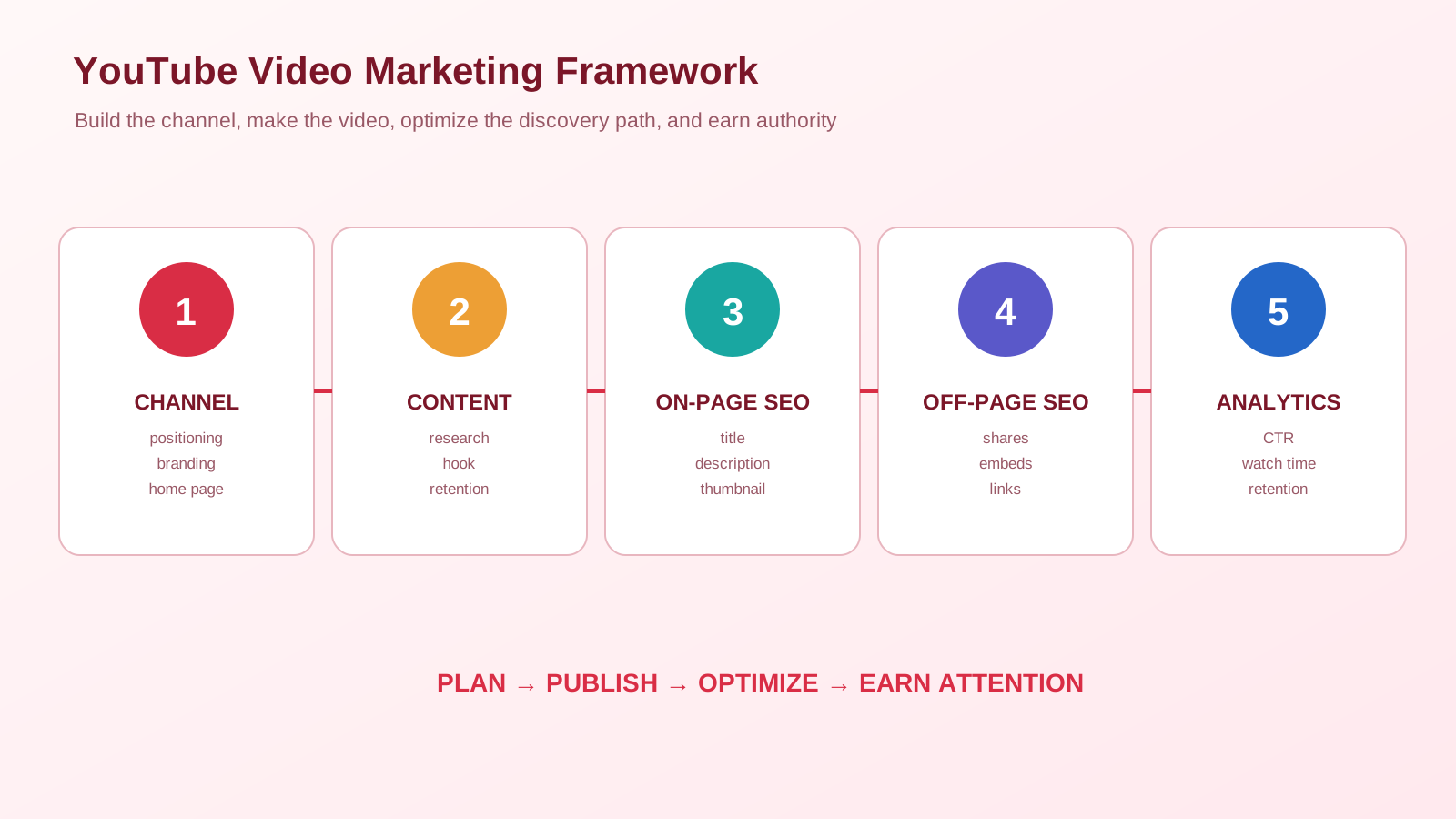
Module 15 Mega Guide Summary
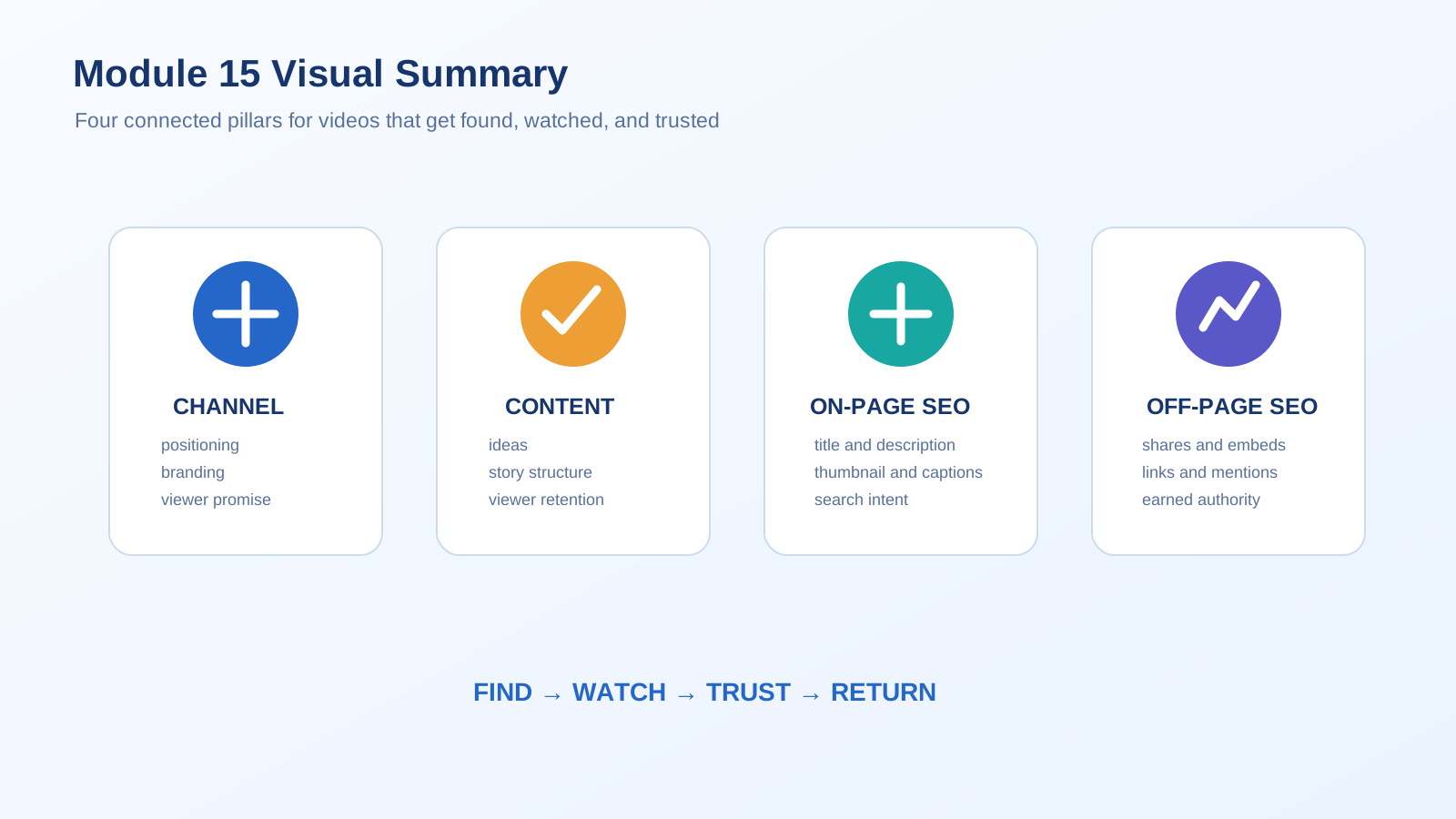
In this module, we treated YouTube as exactly what it is: the second-largest search engine on the internet, governed by the same technical, on-page, and off-page pillars established since Module 10. We covered channel creation and optimization — from channel art specs and the About section to the two-tier 2026 monetization structure and playlists as genuine architecture. We covered how to actually create video content that retains viewers, centered on the science of the first 8 seconds and a realistic framework for long-form versus Shorts. We covered on-page YouTube SEO in real depth, including the corrected, current truth about tags, how to find high-volume and genuinely low-competition keywords, and why titles and thumbnails carry far more weight than most beginners assume. And we closed with off-page SEO for YouTube video — the honest reality of nofollow links, the embed strategy that actually works, and VideoObject schema markup as the direct bridge back to Module 14's technical SEO foundation.
Practice exercise: This week, pick one video idea and run it through the full system in this module. Use YouTube's autocomplete to find three long-tail keyword variations for it. Write a title with your primary keyword in the first few words. Draft a description with your key sentence in the first two lines. Then, if you have a website, plan the blog post that will embed the finished video, complete with VideoObject schema — and if you want to skip hand-coding it, generate that schema with SmartGen's Schema Generator.
Frequently Asked Questions
Is YouTube SEO really different from Google SEO?
Less than most beginners assume. The same three-pillar structure from Module 10 — technical foundation, on-page optimization, off-page authority — applies directly, just translated to channel setup, video metadata, and backlinks/embeds respectively. The biggest genuine difference is that YouTube weighs behavioral signals like watch time and retention far more heavily than a typical webpage does.
Do I still need to fill out the tags field on every video?
Yes, but treat it as a five-minute task, not a strategic priority. YouTube's own guidance places tags well behind title, description, and even your spoken captions in actual ranking weight. Five to seven relevant tags is enough; the time saved is better spent on your title and thumbnail.
How many subscribers do I need to make money on YouTube?
As of 2026's two-tier system, 500 subscribers plus either 3,000 watch hours or 3 million Shorts views unlocks early-access features like memberships and Super Thanks. Full ad revenue requires 1,000 subscribers plus either 4,000 watch hours or 10 million Shorts views, along with no active strikes and a linked AdSense account.
Do backlinks to my YouTube video actually matter?
Yes, but specifically backlinks pointing to your video from other websites — not the nofollow links you place in your own description. Genuine embeds and mentions from relevant, topically-related sites drive real referral traffic and indirect authority; description links mainly drive direct clicks rather than passing SEO weight.
Should I make long videos or Shorts?
Both, used for different jobs. Long-form content builds the watch-hour totals needed for full monetization and serves search-intent-driven tutorials well. Shorts serve as a faster discovery funnel for new audiences. The strongest channels use Shorts to funnel viewers toward long-form content rather than treating the two as competing strategies.
What's the single highest-leverage thing I can fix on an underperforming video?
Check the first 8 seconds first. A weak hook that delays the video's actual value behind branding or a slow intro is the most common, most fixable cause of poor retention — and retention is the signal the algorithm weighs most heavily for ongoing promotion.
Does embedding my YouTube video on my own website actually help SEO?
Yes, in two ways. It increases dwell time and reduces bounce rate on that page, a genuine on-site engagement signal. And if you add VideoObject schema to that page (Section 4), the video itself becomes independently eligible for Google's own video rich results — a second traffic source separate from YouTube search entirely.
How do I find keywords with real search volume but low competition?
Start with YouTube's own autocomplete for long-tail, specific phrasing rather than broad head terms. Favor question-based and tutorial-format queries. And compare a candidate keyword's top-ranking videos against the usual size of the channels that posted them — if smaller channels are consistently overperforming their normal view counts on a topic, that's a sign demand is outpacing supply.
What's Next?
Take a moment to revisit the earlier lessons in this course if you need a refresher, since each module builds on what came before it:
- Introduction to Online Digital Marketing: A Beginner's Guide
- Module 3: Social Media Marketing (SMM) — Advertising Concepts and Platform Selection
- Module 4: Meta (Facebook) Marketing — The Complete A to Z Mega Guide
- Module 5: Instagram Marketing — The Complete A to Z Mega Guide
- Module 6: X (Formerly Twitter) Marketing — The Complete A to Z Mega Guide
- Module 7: LinkedIn Marketing — The Complete A to Z Mega Guide
- Module 8: Pinterest Marketing — The Complete A to Z Mega Guide
- Module 9: Creating a WordPress Website — The Complete A to Z Mega Guide
- Module 10: Search Engine Optimization (SEO) — The Complete A to Z Mega Guide
- Module 11: Off-Page Optimization — The Complete A to Z Mega Guide
- A Complete Guide to Automated Sitemap Management for Modern SEO
- Module 13: Algorithm Updates and Analysis — The Complete A to Z Mega Guide for Beginners
- Module 14: Technical SEO Optimization — The Complete A to Z Mega Guide for Beginners
- Module 15: Video Marketing Through YouTube — The Complete A to Z Mega Guide for Beginners
— This article was written by Sayad Md Bayezid Hosan for the SmartGen blog.

Sayad Md Bayezid Hosan
Full-stack Web Developer, Digital Marketer, and Web Designer with 5+ years of experience delivering innovative digital solutions. Specializing in web development, AI integration, strategic digital marketing, and tech entrepreneurship. As a leading Tech Provider, I help audiences navigate digital platforms safely through permission-based technical solutions and digital business asset management.