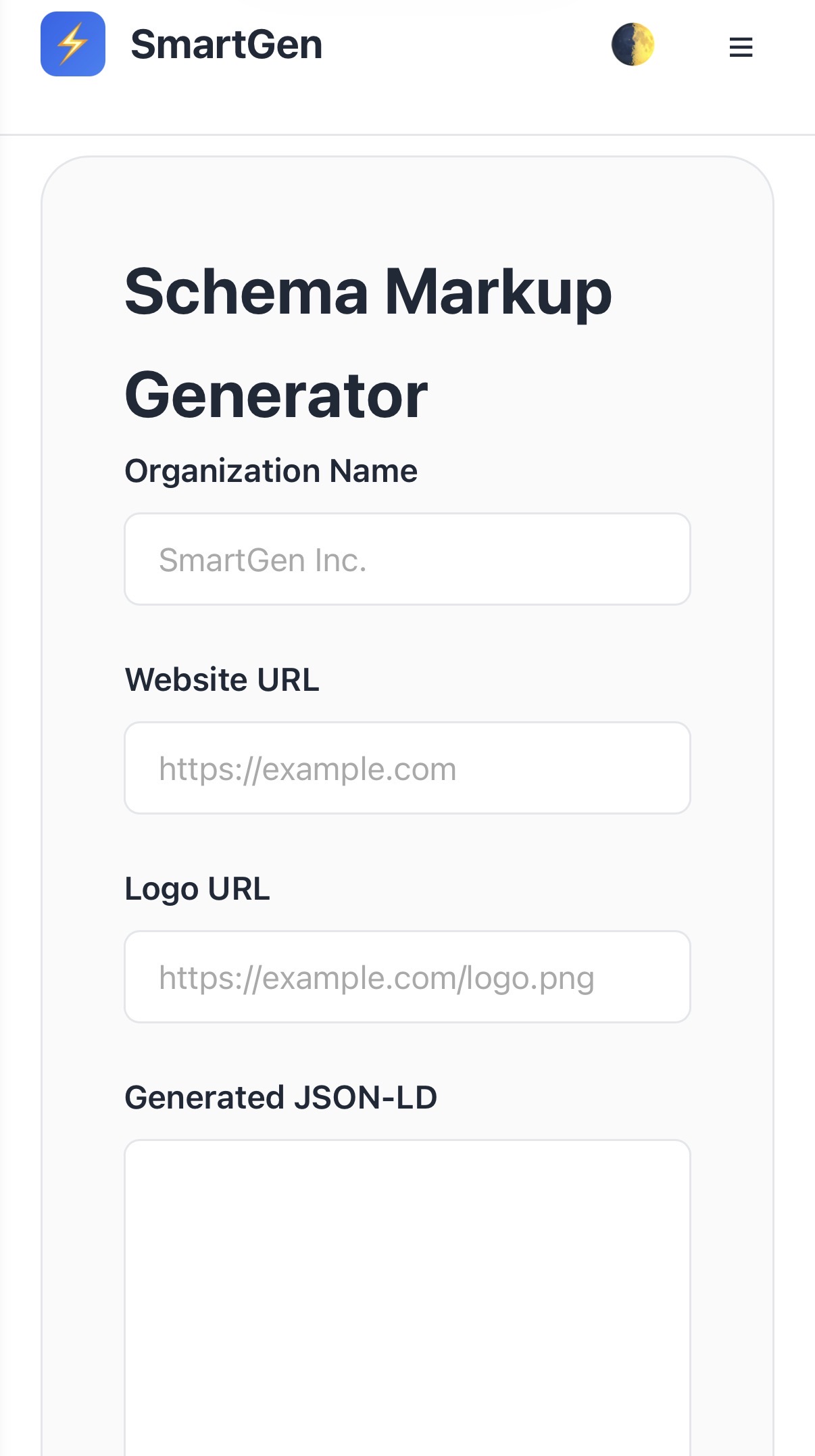
Schema Markup Generator

What is Schema Generator?

At its core, a Schema Generator is a specialized utility designed to solve a specific digital problem with speed and accuracy. Our implementation focuses on three pillars: Security, Speed, and Simplicity. Unlike many other online tools that require account creation or store your sensitive data on remote servers, SmartGen's Schema Generator operates entirely within your browser.

This means that when you use our Schema Generator, your data never leaves your device. This "Client-Side" approach is the gold standard for modern web utilities, providing you with absolute privacy and peace of mind while maintaining lightning-fast performance.

Why Choose SmartGen's Schema Generator?

đź”’ 100% Privacy

No data is sent to any server. Everything happens locally in your browser.

⚡ Instant Results

Real-time processing ensures you see your output the moment you finish typing.

🆓 Always Free

No hidden costs, no premium versions, and no credit card required—ever.

Mastering the Workflow: How to Use the Tool

Using our Schema Generator is designed to be frictionless. Follow these simple steps to achieve professional results in seconds:

  1. Data Entry: Locate the primary input field. This is where you will paste or type the information you wish to process. Our tool supports various data formats and will automatically attempt to sanitize your input.
  2. Configuration: If the tool has optional settings (such as formatting options, security levels, or size adjustments), you will find them clearly labeled. Adjust these to meet your specific requirements.
  3. Live Preview: As you interact with the tool, watch the output area. Our "Live-Sync" technology updates the result instantaneously. There is no need to wait for a page refresh.
  4. Export & Implementation: Once you are satisfied with the result, use the "Copy to Clipboard" button for quick use, or the "Download" button to save the result locally for future reference.

Advanced Strategies for Professionals

To truly get the most out of a Schema Generator, you should integrate it into your broader digital workflow. Here are several advanced strategies used by industry experts:

1. Automation Integration

While our tool is designed for manual use, the logic behind it is consistent with industry standards. Use it to prototype data structures or links before implementing them in your automated scripts or marketing campaigns.

2. Quality Assurance (QA)

Always use the Schema Generator as a final verification step. Before deploying a campaign or pushing code to production, run your data through the tool to ensure everything is formatted correctly and free of common errors.

3. Privacy-First Workflows

In an era of increasing data regulation (like GDPR and CCPA), using client-side tools like ours helps you maintain compliance by ensuring sensitive client data never touches a third-party server during the processing phase.

Frequently Asked Questions (FAQ)

Q: Is there a limit to how many times I can use the Schema Generator?

A: Absolutely not. SmartGen provides unlimited access to all our tools. You can process as much data as you need, as often as you need, without any restrictions.

Q: Do I need to install any software or browser extensions?

A: No. Our Schema Generator is a 100% web-based utility. It runs in any modern browser without the need for additional plugins, ensuring a lightweight and secure experience.

Q: Can I use this tool on my mobile phone?

A: Yes! SmartGen is fully responsive. The interface adjusts perfectly to smartphones and tablets, allowing you to work on the go with the same level of precision as a desktop computer.

The Ultimate Professional Guide to Schema Generator

Welcome to the most comprehensive resource for Schema Generator. In today's fast-paced digital landscape, efficiency and precision are not just advantages—they are requirements. Whether you are a professional developer, a digital marketer, a student, or a business owner, mastering the tools at your disposal is the key to staying ahead. This guide will walk you through everything you need to know about using our professional-grade Schema Generator to its full potential.

What is Schema Generator?

At its core, a Schema Generator is a specialized utility designed to solve a specific digital problem with speed and accuracy. Our implementation focuses on three pillars: Security, Speed, and Simplicity. Unlike many other online tools that require account creation or store your sensitive data on remote servers, SmartGen's Schema Generator operates entirely within your browser.

This means that when you use our Schema Generator, your data never leaves your device. This "Client-Side" approach is the gold standard for modern web utilities, providing you with absolute privacy and peace of mind while maintaining lightning-fast performance.

Why Choose SmartGen's Schema Generator?

đź”’ 100% Privacy

No data is sent to any server. Everything happens locally in your browser.

⚡ Instant Results

Real-time processing ensures you see your output the moment you finish typing.

🆓 Always Free

No hidden costs, no premium versions, and no credit card required—ever.

Mastering the Workflow: How to Use the Tool

Using our Schema Generator is designed to be frictionless. Follow these simple steps to achieve professional results in seconds:

  1. Data Entry: Locate the primary input field. This is where you will paste or type the information you wish to process. Our tool supports various data formats and will automatically attempt to sanitize your input.
  2. Configuration: If the tool has optional settings (such as formatting options, security levels, or size adjustments), you will find them clearly labeled. Adjust these to meet your specific requirements.
  3. Live Preview: As you interact with the tool, watch the output area. Our "Live-Sync" technology updates the result instantaneously. There is no need to wait for a page refresh.
  4. Export & Implementation: Once you are satisfied with the result, use the "Copy to Clipboard" button for quick use, or the "Download" button to save the result locally for future reference.

Advanced Strategies for Professionals

To truly get the most out of a Schema Generator, you should integrate it into your broader digital workflow. Here are several advanced strategies used by industry experts:

1. Automation Integration

While our tool is designed for manual use, the logic behind it is consistent with industry standards. Use it to prototype data structures or links before implementing them in your automated scripts or marketing campaigns.

2. Quality Assurance (QA)

Always use the Schema Generator as a final verification step. Before deploying a campaign or pushing code to production, run your data through the tool to ensure everything is formatted correctly and free of common errors.

3. Privacy-First Workflows

In an era of increasing data regulation (like GDPR and CCPA), using client-side tools like ours helps you maintain compliance by ensuring sensitive client data never touches a third-party server during the processing phase.

Frequently Asked Questions (FAQ)

Q: Is there a limit to how many times I can use the Schema Generator?

A: Absolutely not. SmartGen provides unlimited access to all our tools. You can process as much data as you need, as often as you need, without any restrictions.

Q: Do I need to install any software or browser extensions?

A: No. Our Schema Generator is a 100% web-based utility. It runs in any modern browser without the need for additional plugins, ensuring a lightweight and secure experience.

Q: Can I use this tool on my mobile phone?

A: Yes! SmartGen is fully responsive. The interface adjusts perfectly to smartphones and tablets, allowing you to work on the go with the same level of precision as a desktop computer.