
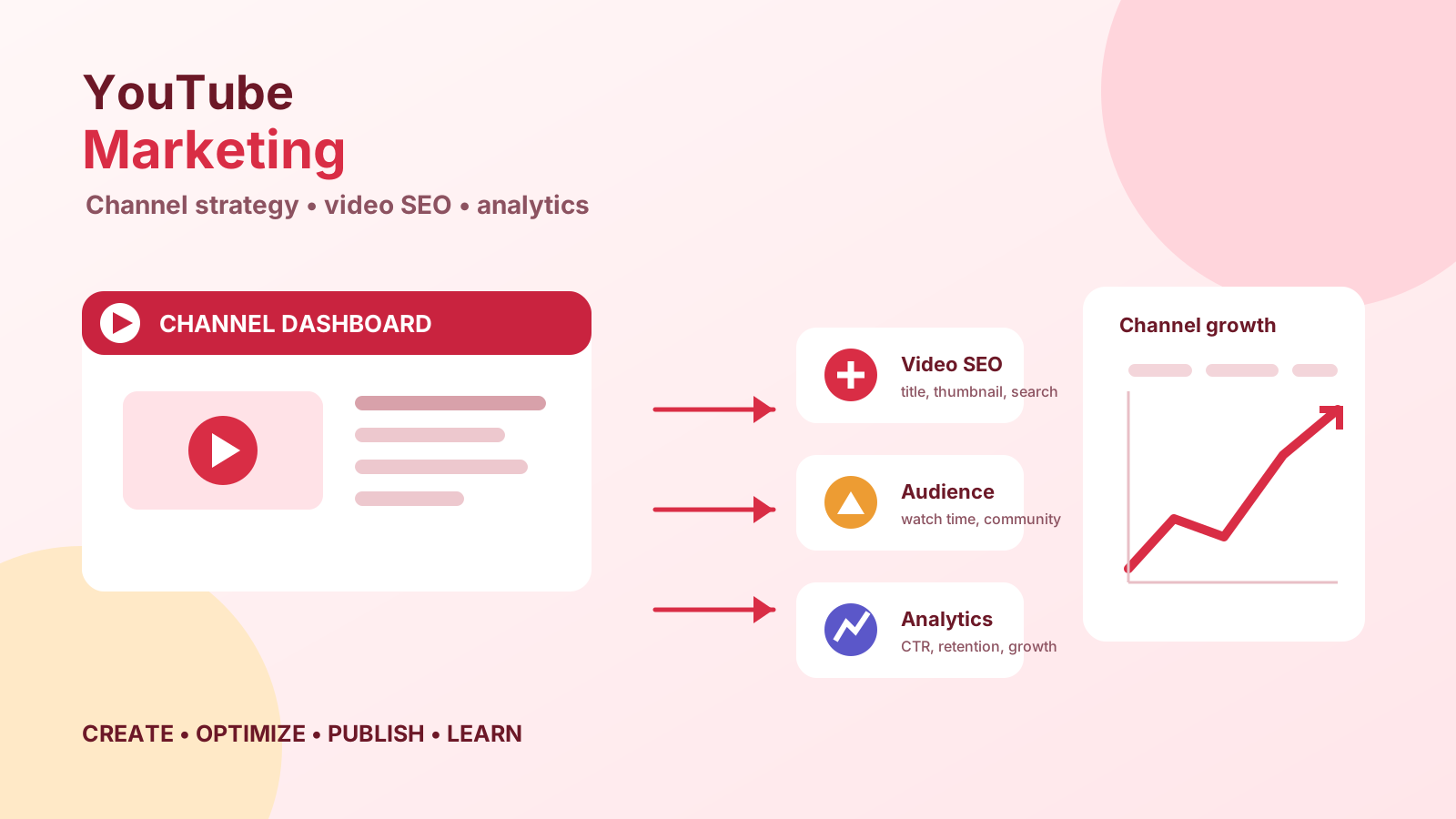
July 01, 2026 • General • By Sayad Md Bayezid Hosan
MODULE 9: YouTube Marketing — The Complete A to Z Mega Guide for Beginners
A complete, practical guide to YouTube marketing for beginners — setting up and optimizing a channel that gets found, creating videos the algorithm wants to surface, understanding YouTube SEO from titles to end screens, growing a real subscriber base, monetizing your content, running YouTube Ads through Google Ads, and reading your analytics so you always know what is actually working versus what only looks like it is.
Welcome to Module 9: YouTube Marketing
We've now covered Facebook, Instagram, X, LinkedIn, and Pinterest in real depth. In each of those modules, a key theme emerged: the platform's native format shapes everything about how marketing works there. On LinkedIn, credibility drives reach. On Pinterest, search intent shapes content. Today we're moving onto the platform that combines the permanence of search with the reach of social media — and that, for a certain kind of business or creator, becomes the highest-leverage channel in the entire marketing stack.
YouTube is the world's second-largest search engine. That's not a marketing cliché. It's the single most useful fact to hold in your head throughout this entire module. People do not go to YouTube primarily to scroll a feed — they go to find answers, learn skills, watch reviews before buying, and solve problems. That intent-driven behavior, combined with the fact that YouTube videos appear in Google search results alongside websites, gives well-made YouTube content a discoverability advantage that almost nothing else in digital marketing can replicate.
At the same time, YouTube is the most demanding platform in this course. A polished blog post takes a few hours. A well-produced video, especially early on before you have a workflow, can take a full day. That effort gap is real, and it's worth naming honestly before we go further — because the businesses and creators who succeed on YouTube almost never do so by posting more. They do so by posting better and more consistently than everyone else who started, tried for six weeks, and stopped.
This guide walks you through every stage of that process: setting up a channel built to be found, creating content the algorithm rewards, understanding YouTube SEO well enough to give your videos a genuine chance in search, growing a community that compounds over time, understanding how monetization actually works, using YouTube's ad platform when you're ready to pay for reach, and reading the analytics that tell you whether any of it is working.
Before diving in, if you haven't already gone through the earlier modules in this course, I'd recommend starting there — the concepts build on one another throughout:
- Importance of Digital Marketing — How It Works and Key Concepts Every Beginner Should Know
- Introduction to Online Digital Marketing: A Beginner's Guide
- Module 1: Basic Image and Video Editing — Complete Guide to Filmora and Canva for Beginners
- Module 3: Social Media Marketing (SMM) — Advertising Concepts and Platform Selection
- Module 4: Meta (Facebook) Marketing — The Complete A to Z Mega Guide
- Module 5: Instagram Marketing — The Complete A to Z Mega Guide
- Module 6: X (Formerly Twitter) Marketing — The Complete A to Z Mega Guide
- Module 7: LinkedIn Marketing — The Complete A to Z Mega Guide
- Module 8: Pinterest Marketing — The Complete A to Z Mega Guide
Why I'm Writing This Guide the Way I Am
YouTube rewards a different instinct than every other platform we've covered in this course. It isn't about designing a perfect visual grid like Instagram, finding the right hashtags like X, or building professional credibility like LinkedIn. It's about one thing, applied consistently over time: making videos that people actually watch all the way through and come back for more.
YouTube's algorithm has one overriding objective — keep people on YouTube as long as possible. Every ranking signal, every recommendation, every suggested video placement is downstream of that goal. Which means the channel that wins isn't necessarily the one with the most subscribers, the best camera gear, or the biggest advertising budget. It's the one whose videos make real people genuinely want to watch more.
That is the lens this entire guide is built around. Every section below is something you can begin acting on this week. Where YouTube's own published guidance and well-documented industry research back something up, I've included it. Where advice is more a matter of judgment call or platform experience, I've said so plainly — because the last thing you need at this stage is confident-sounding advice that doesn't hold up when you test it in practice.
1. Introduction to YouTube Marketing
Understanding the Platform
YouTube launched in 2005 and was acquired by Google in 2006 for $1.65 billion — a decision that, in hindsight, looks like one of the greatest acquisitions in technology history. Today, YouTube has over 2.7 billion logged-in monthly active users, making it the second-most-visited website on earth after Google itself. Over 500 hours of video are uploaded to the platform every single minute.
Those numbers can feel paralyzing for a beginner. They should feel like an opportunity instead. Here is why: despite the enormous volume of content uploaded, the vast majority of it is mediocre, inconsistently published, and poorly optimized for search. A channel that shows up consistently in a specific niche, creates genuinely useful content, and understands the basics of YouTube SEO can build a meaningful, compounding audience over 12 to 24 months — even while starting from zero.
What makes YouTube different from every other platform in this course isn't just the video format — it's the compound discoverability it offers. A blog post published today can rank in Google for years. A YouTube video published today can be recommended to new viewers for years — through search, through suggested video, through the YouTube homepage, and increasingly through Google's own search results, which prominently surface YouTube videos for how-to, review, and educational queries.
That longevity is YouTube's single greatest advantage for marketing purposes, and it's the reason many businesses that invest seriously in YouTube report it eventually becoming their highest-converting traffic source — not immediately, but compoundingly over time.
What YouTube Marketing Actually Is
YouTube marketing is not one single activity. It is a combination of several overlapping practices that reinforce each other:
Channel strategy — deciding what your channel is about, who it's for, and what consistent value it delivers so a subscriber knows exactly what they're getting by following you.
Video creation — the actual process of planning, recording, editing, and publishing videos that serve your audience and your business goals simultaneously.
YouTube SEO — optimizing every element of your video (title, description, tags, thumbnail, chapters, captions) so it has the best possible chance of being found through search and recommended by the algorithm.
Community building — engaging with comments, building a real relationship with your subscriber base, and creating content that gives people a reason to subscribe rather than just watch once.
Monetization — understanding the various ways YouTube can generate direct and indirect revenue, from the YouTube Partner Program to affiliate marketing to using the channel as a top-of-funnel lead source for your actual business.
Paid advertising — using YouTube's ad platform (run through Google Ads) to get your videos or your business in front of a targeted audience you couldn't reach organically.
Analytics — using YouTube Studio's data to understand what's actually working, who your audience is, and where to invest your next 30 days of effort.
The rest of this guide walks through each of these in order, building one on top of the next.
2. Setting Up and Optimizing Your YouTube Channel
Before you publish a single video, your channel needs to be set up properly. A poorly configured channel wastes a real percentage of the attention every video you create will eventually earn — visitors arrive, see an incomplete or confusing channel, and leave without subscribing.
Create a Brand Account, Not a Personal Account
Go to youtube.com, sign in with a Google account, and when creating your channel, choose "Use a custom name" rather than linking the channel directly to your personal Google name. This creates a Brand Account, which allows multiple people to manage the channel, separates your personal Google identity from your channel, and makes it easier to transfer ownership if your business grows or changes hands.
Channel Name
Your channel name should be memorable, specific, and if possible, searchable. For a business, this is usually the brand name. For a creator or personal brand, it is your name or a niche-specific handle that communicates immediately what the channel is about. Avoid generic names like "Tech Reviews" or "Cooking Channel" — they are impossible to trademark, hard to find through search, and convey nothing that makes someone choose your channel over the dozens of identically-named competitors.
Channel Description
The channel description is indexed by YouTube's search algorithm and by Google. Write 200 to 500 words that clearly explain what the channel covers, who it's for, and what a subscriber can expect — using the natural keyword phrases your target audience would actually search for. Include your upload schedule if you have one ("new videos every Tuesday and Friday"), links to your website and other platforms, and any relevant credentials or background that build credibility.
Most beginners write a single generic sentence here and move on. A well-written channel description is a keyword-rich document that helps your entire channel rank in both YouTube and Google search — treat it accordingly.
Channel Art and Profile Photo
Profile photo: Use your logo (for a brand) or a high-quality headshot with good lighting and clear eye contact (for a personal brand). This image appears everywhere your channel appears across YouTube — in search results, comment sections, and suggested channel panels. It needs to read clearly at very small sizes.
Channel banner (channel art): The large banner image at the top of your channel page. Use it to communicate your channel's value proposition at a glance — what you cover, who you're for, and when you upload. YouTube provides template dimensions (2560 × 1440 pixels), and the "safe zone" for text and key visuals is the central 1546 × 423 pixels that displays across all devices. If you need to create this and aren't sure where to start, revisit Module 1 — Canva has free YouTube banner templates specifically sized for this.
Channel trailer: Set up a short (60–90 second) channel trailer that auto-plays for non-subscribers when they visit your channel. This is your best chance to convert a curious visitor into a subscriber. Tell them specifically who the channel is for, what kind of videos you publish, and what they'll gain by subscribing. End with a direct, simple ask: "If that sounds useful to you, hit subscribe — new videos every Tuesday."
Channel Sections
YouTube lets you organize your channel homepage into named sections — rows of playlists or individual videos displayed in sequence. This matters because it turns your channel homepage from a reverse-chronological video dump into a guided, organized experience. A first-time visitor who sees clearly labeled sections like "Start Here," "Most Popular," "SEO Tutorials," and "Case Studies" understands immediately how the channel is structured and is far more likely to explore multiple videos — which increases their chance of subscribing.
Create at least three to five sections. The first should always be your best introductory or most popular content. The last is often your most recent uploads. Everything in between represents your main content categories, each organized as its own playlist.
Playlists
Playlists are one of the most underused channel optimization tools on YouTube, and they directly influence how much of your channel a visitor watches in a single visit. When a video ends inside a playlist, the next video in that playlist auto-plays — which keeps viewers in your content for longer and sends a powerful "watch time" signal to the algorithm.
Build playlists organized around specific topics or series within your niche. A digital marketing channel might have: "YouTube SEO for Beginners," "Content Strategy Guides," "Client Case Studies," and "Free Tools Walkthroughs." Name each playlist with keyword phrases your audience would search for, and write a detailed description for every playlist — the same keyword optimization principles that apply to video descriptions apply here too.
3. YouTube SEO — Getting Your Videos Found
YouTube SEO is the practice of optimizing your videos so they appear prominently in YouTube search results and get recommended by the algorithm to users who haven't searched for them directly. It is, alongside thumbnail design, the single most important skill a YouTube marketer can develop — because a great video that nobody can find might as well not exist.
Keyword Research for YouTube
The foundation of YouTube SEO is understanding what your target audience actually types into the YouTube search bar. This is called keyword research, and YouTube gives you a free, first-party tool for it that most beginners overlook entirely: the autocomplete function in YouTube's own search bar.
Type the beginning of a topic phrase into YouTube search and watch what autocomplete suggestions appear. These are real phrases that real users have searched for frequently enough that YouTube's system suggests them proactively. They are your keyword targets — the phrases your title, description, and tags should match.
For deeper research, three tools are widely used by YouTube practitioners:
TubeBuddy — A browser extension that overlays keyword data, competition scores, and ranking information directly onto YouTube's interface. The free tier is useful for beginners; the paid tiers add more depth.
vidIQ — A similar browser extension with particularly strong competitor analysis features. It shows you the tags, keywords, and performance data of any public video on the platform.
Google Trends (youtube.com filter) — Allows you to filter trend data specifically to YouTube searches, so you can see whether a topic is rising or declining in interest before you invest time creating a video about it.
When choosing keywords to target, look for the intersection of three factors: meaningful search volume (enough people are actually searching for this), manageable competition (not every result is a major channel with millions of subscribers), and direct relevance to your niche and audience. Targeting a high-volume keyword that your channel has no authority in yet almost never works early on. Targeting a medium-volume keyword in a specific area where your content is genuinely strong almost always does.
Video Title Optimization
Your video title is the single highest-leverage SEO element on the page — it's what YouTube's algorithm weighs most heavily in deciding what your video is about, and it's what a viewer reads in a fraction of a second when deciding whether to click.
Put your primary keyword in the first 40–50 characters of the title. YouTube truncates titles in most display contexts, and the earlier your keyword appears, the stronger the SEO signal. It also means the keyword is visible to the viewer before the title gets cut off.
Make the title compelling to a human, not just relevant to an algorithm. The best YouTube titles serve both purposes simultaneously — they contain the keyword and they give a human a reason to click. A title like "YouTube SEO Tutorial" hits the keyword but gives no reason to click over the other 500 videos with the same title. A title like "YouTube SEO in 2026: The 5 Things That Actually Changed (And What Still Works)" hits the same keyword and gives a specific, curiosity-driven reason to choose this video over others.
Keep titles under 70 characters where possible. Titles longer than 70 characters are truncated in most YouTube display contexts, including search results and suggested video panels. If your most important information is at the end of a long title, most viewers will never see it.
Do not clickbait. A title that promises something the video doesn't deliver will produce a high click-through rate and a low average view duration — which is one of the worst possible signal combinations you can send the algorithm. YouTube will quickly stop recommending a video whose engagement pattern suggests viewers felt misled.
Video Description Optimization
The video description gives YouTube's algorithm additional context about what your video covers, and it gives your viewers useful additional information and navigation options. Most beginners write two sentences here. The most-watched channels in every niche treat the description like a blog post.
Write a 200–500 word description for every video. Open with your primary keyword in the first one to two sentences — YouTube gives extra weight to keywords that appear early in the description. Then expand on what the video covers, naturally including secondary keyword variations throughout. Do not stuff keywords — write naturally, the way you'd describe the video to a friend.
Include a structured set of links in every description. A useful template:
📌 CHAPTERS (auto-generate timestamps by listing them here)
00:00 Introduction
01:30 [Chapter title]
04:15 [Chapter title]
...

🔗 LINKS MENTIONED IN THIS VIDEO
[Specific tools, resources, or products mentioned]

📚 RELATED VIDEOS
[Link to 2–3 of your own most relevant previous videos]

🛠️ FREE TOOLS FOR DIGITAL MARKETERS
SmartGen Tools (free): https://smartgentools.com

📩 CONNECT
Website: [your site]
LinkedIn: [profile link]
This template does several things at once: it adds keyword-rich content, it creates internal links to your other videos (increasing overall watch time), it provides genuine value to viewers, and it gives the algorithm multiple context signals about what your video is about.
Tags
Tags are less important than they were in YouTube's early years — the algorithm now weighs title, description, and viewer behavior much more heavily than tags — but they still contribute marginal SEO signal and take very little time to add properly.
Use 5–10 relevant tags per video. Start with your exact primary keyword phrase, then add close variations and related terms. Do not add tags that aren't genuinely relevant to the video — this can actually hurt your ranking for the terms that do matter.
Chapters (Video Timestamps)
Adding timestamped chapters to your description does two things: it makes your video significantly more useful to viewers who want to navigate to a specific section, and it enables the "key moments" feature in Google Search, where specific chapters of your video appear as individual results in Google's search results page — each one linkable directly to that moment in the video.
To add chapters, list them in your description in the exact format:
00:00 Introduction
01:15 What is YouTube SEO
03:40 Keyword Research
...
YouTube automatically detects this format and creates a visual chapter timeline in the video player.
Closed Captions and Transcripts
YouTube auto-generates captions for every video, but auto-generated captions have errors, especially for technical vocabulary, names, and non-native-English accents. Uploading a corrected SRT caption file improves accessibility, is the right thing to do, and provides YouTube's algorithm with a clean, accurate full transcript of everything spoken in your video — which is a meaningful additional keyword context signal.
Most video editing tools can export a transcript file. Alternatively, free services like Descript or Rev (paid) can produce accurate transcripts from your video file quickly. The time investment is small; the SEO and accessibility value is consistent.
Thumbnails: The Click-Through Rate Lever
Thumbnails are not technically an SEO element, but they are the most direct lever you have on click-through rate — the percentage of people who see your video in search or suggested panels and actually click it. YouTube's algorithm explicitly uses CTR as a ranking signal: a video with a higher CTR in its early hours of distribution gets pushed to a wider audience, while a video with a low CTR in the same time window gets pulled back quickly.
Thumbnail best practices that hold up across virtually every niche on the platform:
High contrast colors (bright backgrounds against darker text, or vice versa) that stand out against YouTube's white interface. A human face showing a clear, identifiable emotion — curiosity, surprise, satisfaction, or even concern — consistently outperforms thumbnails without faces, because human faces trigger automatic attention in viewers. Large, legible text overlay that adds a complementary hook to the title (not just repeating it — add new information that creates additional curiosity). Consistent visual style across your channel's thumbnails so that a returning viewer recognizes your content instantly in a crowded feed.
Keep your design simple. A thumbnail that requires 10 seconds of study to understand what's being communicated is a thumbnail that isn't working. The best thumbnails communicate their core idea in under two seconds at thumbnail size.
4. Content Strategy — Making Videos People Actually Watch
YouTube SEO gets people to click your video. Your content strategy is what determines whether they watch it all the way through, subscribe, and come back for more. These are different problems, and treating them the same is one of the most common mistakes beginners make.
The Three Metrics That Matter Most for the Algorithm
YouTube's algorithm optimizes for three things above all else, and understanding them should shape every content decision you make:
Click-Through Rate (CTR) — The percentage of people who see your thumbnail and title in a feed, search result, or suggested panel and actually click. Average CTR across YouTube is roughly 2–10%, but this varies wildly by niche and channel size. A CTR significantly above 5% for a new video is a strong signal; significantly below 2% suggests your thumbnail or title isn't compelling enough for your placement context.
Average View Duration (AVD) and Average Percentage Viewed (APV) — How long the average viewer watches your video, both in raw minutes and as a percentage of the total video length. These are the most heavily weighted signals in YouTube's recommendation algorithm. A 10-minute video where the average viewer watches 7 minutes (70%) will be pushed far more aggressively than a 10-minute video where the average viewer watches 2 minutes (20%) — regardless of like count or comment count. Everything about your content should be evaluated through this lens: does this make people keep watching?
Subscriber Conversion Rate — How many viewers of a given video click Subscribe, expressed as a percentage of total views. A video with a 2–3% subscriber conversion rate is performing very well; below 0.5% consistently suggests the video is attracting the wrong audience or failing to deliver a clear reason to subscribe.
How to Structure a Video That People Finish
The single biggest drop-off point on almost every YouTube video is within the first 30 seconds. Viewers click, spend 15–30 seconds evaluating whether this video is going to deliver on what the thumbnail and title promised, and leave if the answer seems like no. This is called "the hook problem," and solving it is more important than any piece of equipment you could buy.
A structure that works consistently across content categories:
The hook (first 15–30 seconds): Open by immediately addressing the viewer's core reason for clicking. What problem are you going to solve? What question are you going to answer? What will they be able to do by the end of this video that they couldn't do when they clicked? Do not open with a long introduction about yourself, a rambling preamble, or "welcome back to the channel." Get directly to the promise of value.
The preview (30 seconds to 1 minute): Briefly outline what the video will cover — like a table of contents in video form. This sets expectations, builds confidence that the video will deliver what the title promised, and gives viewers who came for a specific sub-topic a reason to keep watching until that section arrives.
The content body (the middle 70–80% of the video): Deliver your actual content in a logical, progressive sequence. Keep your pacing tight — edit out pauses, filler words, tangents, and anything that doesn't directly serve the viewer's reason for watching. Use chapter breaks (both visually and in the description timestamps) to organize longer videos into navigable sections.
The close (final 30–60 seconds): Summarize the key takeaways, tell the viewer what to do next (watch a related video, download a resource, subscribe, visit a link in the description), and add a genuine call to action. "If this was useful, subscribe so you don't miss the next one" converts significantly better than "smash that like button" — the latter feels performative; the former feels like a genuine invitation.
Content Types That Work on YouTube
Different content categories thrive in different formats, and understanding which format best serves each goal saves enormous amounts of production time.
Tutorial / How-To videos remain the dominant content type on the platform for good reason: they directly satisfy the informational search intent that drives most YouTube searches. A tutorial titled "How to Set Up Google Analytics 4 in 2026 (Complete Walkthrough)" will accumulate search traffic for as long as the information remains relevant. These videos require clear step-by-step structure and strong visual demonstration.
Listicle videos ("7 YouTube SEO mistakes beginners make," "5 free tools every digital marketer needs") perform consistently well because the format sets clear expectations — the viewer knows they'll get a discrete number of useful points, and that predictability reduces the risk of clicking. They also tend to hold viewer attention well because each list item resets interest.
Commentary and opinion videos work particularly well for established channels with a loyal audience who trusts the host's perspective. They require less production effort (often just a talking-head setup) and can be published faster than tutorials — useful for responding to trending topics in your niche while they're still relevant. For new channels, these require more initial audience trust than tutorials do to perform well.
Case study and results videos ("How I grew from 0 to 10,000 subscribers in 8 months," "The exact strategy that doubled our client's organic traffic") are among the highest-converting content types for channels with a product or service to offer, because they demonstrate expertise through real outcomes rather than theoretical advice.
Shorts (60 seconds and under) are YouTube's answer to TikTok and Instagram Reels. Shorts live in a separate tab and feed on the platform and have their own discovery mechanism. They do not build subscriber bases in the same way long-form videos do — a subscriber gained through a Short is significantly less engaged than one gained through a long-form video — but they can dramatically increase a channel's raw view count and introduce new viewers to long-form content when the Short includes a clear call to explore the full video.
Posting Consistency vs. Posting Frequency
This is where most beginners make a costly mistake. Conventional YouTube advice says to post as frequently as possible. The reality is more nuanced, and YouTube's own Creator Academy materials acknowledge it: consistency matters far more than frequency.
YouTube's algorithm gives channels that maintain a predictable upload schedule a distribution advantage because it can reliably expect new content to recommend to subscribers. A channel that publishes one video every Tuesday for twelve consecutive months will almost always outperform a channel that posts daily for three weeks and then disappears for six.
Choose a sustainable pace before you start. For most beginners balancing YouTube with other work responsibilities, one video per week or two per week is achievable without burning out. For some, one video per two weeks is the right starting pace. The right answer is the frequency you can maintain for two years without stopping.
A Mid-Guide Reality Check — What I Actually Want You to Walk Away Knowing
By this point in the guide, we've covered channel setup and YouTube SEO in enough depth that a beginner could go set up a properly optimized channel today. Before we move into monetization and ads, I want to name the most common place beginners stall — because it comes up constantly, and it almost never gets addressed honestly.
The stall point is usually around video 8 to 15. The first few videos feel exciting. By video 8, most channels have under 100 subscribers, analytics look modest, and the effort-to-result ratio feels deeply discouraging. This is where the majority of YouTube channels that ever existed simply stopped publishing.
What I know from looking at channels across industries and sizes is that this feeling is almost universal among channels that eventually did succeed — the difference is almost always just whether the creator kept publishing through it. YouTube's algorithm does not distribute a new channel's videos to large audiences immediately. It distributes them slowly, learns from early viewer behavior, and gradually extends reach as the data builds confidence. This process takes months, not weeks. The channels that make it past the first 50 videos with a consistent pace almost always build a compounding audience eventually. The channels that stop at video 12 never find out.
This guide draws on YouTube's own published creator documentation, third-party research from firms including Pew Research and Tubics that study the platform's behavior at scale, and practical patterns that show up consistently across channels that have made the journey from zero to a real audience. Where specific benchmarks vary meaningfully across sources, I've noted it rather than presenting any single number as universal truth.
5. Channel Growth and Community Building
Getting views is necessary but not sufficient for channel growth. Converting viewers into subscribers, and subscribers into an engaged community that watches every new video you publish, requires a different and often less-discussed set of practices.
The Subscribe Ask — When and How
Every YouTube practitioner knows you should ask viewers to subscribe. What most beginners get wrong is where and how they ask. "Please like and subscribe" at the very beginning of a video — before you've given the viewer a single reason to trust you — is almost entirely ineffective and can actually feel off-putting because it's asking for commitment before delivering value.
More effective approaches:
Ask after delivering clear value. If your tutorial has a strong "aha moment" — a point where the viewer learns something genuinely useful — that moment is the right time to say "if that was helpful, subscribe so you get the rest of this series." The viewer's trust is highest immediately after you've demonstrated your value.
Give them a specific reason to subscribe. "Subscribe so you don't miss the next video" gives the viewer no information about whether the next video is relevant to them. "Subscribe if you want to follow along with the full step-by-step series — next week we cover [specific topic]" gives a reason tied to their interest.
Use the End Screen and info cards. YouTube's End Screen (the final 20 seconds where you can overlay subscribe buttons and related video cards) and info cards (small interactive elements you can add at any point in a video) are native tools specifically designed to convert viewers. Use them consistently — a significant portion of subscribers come from End Screen clicks, not from viewers independently opening your channel page and clicking Subscribe.
The Comment Section — Your Most Underutilized Tool
YouTube's algorithm treats comments as a strong engagement signal — a video that generates real discussion, and especially one where the creator responds and continues the conversation, is a video the algorithm wants to continue recommending.
The practical implication: respond to every comment in your first 50 to 100 videos. Every single one. This is manageable at early subscriber counts and pays dividends in several ways simultaneously: it signals to the algorithm that your video is generating active engagement, it builds real loyalty among the viewers who bothered to comment, it surfaces questions and topics you should address in future videos, and it makes new visitors who read through the comment section far more likely to subscribe because they can see you're an active, responsive creator.
As your channel grows and this becomes impossible to maintain at 100% response rate, prioritize the comments that ask questions, that go deeper on the topic, or that represent a perspective worth engaging with publicly — because those responses generate the most additional discussion.
Pin a comment asking a question at the top of your comment section for every video. Something like "What's your biggest YouTube SEO challenge right now — drop it in the comments below" transforms a passive comment section into an interactive conversation and gives new viewers a prompt to engage with.
Creating a Content Series
Single standalone videos can perform well, but series content builds the kind of habitual viewing behavior that compounds subscribers fastest. When a viewer watches all of Module 1, they naturally want Module 2. When they watch your Monday productivity video, they return the following Monday because they've built the expectation.
Structure at least one content series into your channel from the start — a set of related videos that each stand alone as useful content but reward viewers who watch them in sequence. This is exactly what the SmartGen Digital Marketing Course modules are doing: each module is independently useful, but watching the full series delivers a coherent, complete skill set.
Collaborations and Cross-Promotion
Collaborating with other creators in your niche is one of the fastest ways to grow a YouTube channel early on, because it exposes you to an audience that already trusts the creator you're collaborating with. A collaboration doesn't need to involve another creator's physical presence in your video — a simple "channel swap" where you create a video for their audience (and vice versa) is effective and easy to organize remotely.
When looking for collaboration partners, look for channels in your niche with a similar or slightly larger subscriber count — significantly larger channels rarely benefit from collaborating with significantly smaller ones. And look for genuine content alignment: the overlap in audience interest needs to be real, or the viewers you reach won't convert to subscribers because the content you make isn't relevant to what they originally subscribed for.
6. Monetization — How YouTube Channels Actually Earn Revenue
One of the most frequently misunderstood aspects of YouTube marketing is how channels actually make money. The popular conception — that YouTube pays you for views — is technically true but deeply incomplete. Here is the full picture.
The YouTube Partner Program (YPP)
The YouTube Partner Program is the threshold you need to cross before YouTube itself shares any ad revenue with you. As of 2026, the requirements are:
- 1,000 subscribers on your channel
- 4,000 watch hours of your public videos in the past 12 months (for long-form content access)
- OR alternatively: 500 subscribers plus 3 public uploads in the past 90 days plus 3,000 watch hours or 3 million YouTube Shorts views (for a limited monetization tier)
- A linked and approved AdSense account
- Compliance with all of YouTube's monetization policies
Once accepted into YPP, YouTube places ads on your videos and shares a percentage of the resulting revenue with you through AdSense. The revenue split is roughly 55% to the creator and 45% to YouTube.
CPM and RPM are the two numbers that determine your actual earnings. CPM (Cost Per Mille) is what advertisers pay per thousand ad impressions on your channel. RPM (Revenue Per Mille) is what you actually receive per thousand video views after YouTube's cut. RPM varies enormously by niche — finance, software, and B2B channels can earn $10–$30+ RPM because advertisers in those categories bid aggressively for the audience. Entertainment and gaming channels often earn $2–$5 RPM because the audience demographics are less commercially valuable to advertisers.
The practical implication: YPP ad revenue alone rarely makes a channel financially sustainable at under 100,000 subscribers, unless the channel is in an exceptionally high-CPM niche. Most successful YouTube channels treat YPP revenue as a bonus, not the primary business model.
Affiliate Marketing
Affiliate marketing — recommending products or services you genuinely use and linking to them with a unique tracking link in your description — is often more lucrative than YPP revenue for smaller channels, because it pays per conversion rather than per view. A 5,000-subscriber channel in the software or digital marketing space that recommends the right tools can generate more revenue from affiliate commissions in a month than a 50,000-subscriber entertainment channel earns from ad revenue.
The fundamental rule of affiliate marketing on YouTube is the same as everywhere else: only recommend things you genuinely use and believe in. Recommending something purely for a commission, in a category where your audience trusts your judgment, damages that trust in ways that take far longer to rebuild than the commission earned.
Always disclose affiliate relationships in your video and your description. This is both a legal requirement in most countries (the FTC's guidelines in the United States apply to YouTube creators) and the right thing to do.
Sponsorships
Direct brand sponsorships — where a company pays you to mention, feature, or review their product in your video — typically become available at 5,000 to 10,000 subscribers for niche channels, or earlier if your engagement rate is exceptionally high relative to your subscriber count.
Sponsorship rates vary enormously by niche, audience demographics, and channel size, but a rough industry benchmark for a dedicated mid-roll sponsorship segment (60–90 seconds of dedicated on-screen promotion) is $20–$50 per 1,000 views for the specific video. A video that earns 50,000 views with a sponsorship at $30 per thousand views would generate roughly $1,500 — significantly more than the same video's YPP ad revenue would likely produce.
As with affiliate marketing: only take sponsorships for products that genuinely serve your audience. Your credibility is the asset your channel is built on, and no sponsorship fee is worth compromising it.
Selling Your Own Products or Services
For businesses using YouTube as a marketing channel (rather than individuals building a creator career), this is often the most valuable revenue stream of all, even though YouTube doesn't pay you directly for it. A single YouTube video that sends qualified traffic to your service page, your course, your consulting offering, or your product can generate far more revenue than months of YPP ad revenue on the same video.
This is the model behind the SmartGen Digital Marketing Course approach: the modules build expertise and trust with the audience, and that audience is naturally inclined to use SmartGen Tools and explore SmartGen's resources because the content has demonstrated genuine value first.
Channel Memberships and Super Thanks
Once you're accepted into YPP, YouTube unlocks two additional direct revenue features. Channel Memberships allow your most loyal subscribers to pay a monthly fee (you set the price tiers) in exchange for exclusive badges, emoji, and member-only content. Super Thanks is a feature that lets viewers tip you directly on a video they found valuable. Neither of these is a significant revenue driver for most channels until you have a genuinely engaged audience of tens of thousands of subscribers, but they're worth knowing about and activating once eligible.
7. YouTube Advertising Through Google Ads
When organic growth isn't getting you to your goals fast enough, YouTube's advertising platform — accessed through Google Ads — lets you place your videos or ads in front of a precisely targeted audience you couldn't reach organically.
Why YouTube Ads Are Different from Other Platform Ads
Every ad platform covered in this course has unique targeting capabilities. YouTube's specific advantage is the combination of Google's search and behavioral data with the visual storytelling capacity of video. Google knows what people have searched for, what websites they've visited, what apps they've installed, and what videos they've watched — and YouTube ads let you use all of that data to reach people at a specific moment, with a message in the most persuasive format available in digital marketing.
YouTube Ad Formats
Skippable In-Stream Ads play before or during another video and can be skipped after 5 seconds. You only pay if a viewer watches 30 seconds (or the entire ad, if it's under 30 seconds) or interacts with the ad. This is the most commonly used format for brand awareness and consideration goals. The first 5 seconds are critical — you need to give the viewer a compelling reason not to skip before the skip button appears.
Non-Skippable In-Stream Ads are 15–20 seconds long and cannot be skipped. Because viewers are forced to watch, they carry higher completion rates but also higher irritation potential if the ad isn't well-targeted or well-made. The cost-per-impression is typically higher than skippable ads.
Bumper Ads are 6-second, non-skippable ads. They are the shortest available format and are best used for reinforcing a message the viewer may have already seen through a longer format, not for introducing a complex idea. Very useful for remarketing to people who've already seen a longer ad or visited your website.
In-Feed Video Ads (formerly called TrueView Discovery Ads) appear in YouTube search results, on the homepage, and in the "watch next" suggested video panel. They look like organic videos with an "Ad" badge, and viewers click them voluntarily to watch. This format tends to attract higher-quality, more interested viewers because the click was intentional.
Overlay Ads are small banner ads that appear at the bottom of a video on desktop only and can be dismissed by the viewer. They are generally less impactful than video formats but have lower CPMs and can work well for direct response goals.
Targeting Options
YouTube's targeting through Google Ads is among the most sophisticated in digital advertising:
Demographic targeting — Age, gender, parental status, and household income (income targeting available in some countries through Google's inferred data).
Interest targeting — Audiences grouped by their demonstrated interests (Fitness Enthusiasts, Tech Buyers, Small Business Owners, etc.) based on their Google and YouTube behavior.
Custom Intent audiences — One of the most powerful options: you provide a list of keywords people have recently searched on Google, and YouTube serves your ad specifically to users who searched for those terms. This lets you reach people in the middle of a research or decision-making process — far down the funnel compared to broad interest targeting.
Remarketing — Showing ads specifically to people who have already interacted with your YouTube channel (viewed a video, subscribed, visited your channel) or visited your website. Remarketing audiences almost always convert better than cold audiences because you're reaching people who already know who you are.
Placement targeting — You choose specific YouTube channels or individual videos where your ad will appear. Useful for reaching the audience of a competitor channel, a category-specific creator, or any channel whose viewers closely match your target customer.
Keyword targeting (for In-Feed ads) — Your ad appears in search results for keywords you specify, alongside organic results. This is effectively paying for search visibility on YouTube, similar in concept to Google Search Ads.
A Beginner's Starting Approach to YouTube Ads
Start with a single, specific goal tied to a real business outcome — not "increase views" (too vague) but "generate leads from people currently researching [your service category]." Build your first campaign around Custom Intent targeting using the keywords your ideal customer searches for. Use an In-Stream skippable format with a video that has a strong 5-second hook and a clear call to action. Set a modest daily budget and run for two weeks before drawing conclusions. Check your View Rate (percentage who watched past the skip point) and your CTR to your website — these tell you whether your targeting and creative are landing before you spend more.
8. YouTube Analytics — Reading What Actually Matters
YouTube Studio's analytics dashboard is one of the richest, most detailed audience intelligence tools available to any marketer — and it's completely free. Most creators check subscriber count and view count and stop there. The channels that grow consistently are the ones that go deeper.
Accessing Your Analytics
Log into YouTube Studio (studio.youtube.com), click "Analytics" in the left-hand navigation. You'll land on the Overview tab, which gives a summarized view of your channel's performance over the selected date range. From here, you can drill down into four main tabs: Overview, Reach, Engagement, and Audience.
The Metrics That Actually Predict Growth
Impressions Click-Through Rate (CTR) — Found under the Reach tab. This tells you, of all the times YouTube showed your thumbnail and title to a viewer, what percentage clicked. A rising CTR on a new video in its first 48–72 hours suggests the algorithm will continue distributing it. A flat or declining CTR suggests the thumbnail or title isn't resonating with the audience YouTube is showing it to.
Average View Duration and Average Percentage Viewed — Found under Engagement. These are the algorithm's primary quality signals. Navigate to any individual video's analytics and look at the audience retention graph — the line chart showing what percentage of your original viewers were still watching at each point in the video. Every sharp drop-off on this graph is a specific moment where viewers are leaving. Go back and watch that section of your video to understand why. Identifying and fixing consistent drop-off patterns is one of the highest-leverage improvements you can make to future videos.
Click-Through Rate from End Screen — This metric, also under Engagement, tells you what percentage of viewers who reached your end screen actually clicked a suggested video or the subscribe button. A low end screen CTR (below 5%) often means your end screen video choices aren't genuinely relevant to what viewers just watched, or your call to action isn't compelling enough to earn the click.
Subscriber Source — Under the Audience tab, YouTube tells you exactly which videos, playlists, or sections of your channel are converting viewers into subscribers at the highest rate. This is invaluable information: the videos driving the most subscribers are the videos you should create more of. If your tutorial format drives 3× more subscribers than your commentary format at the same view count, that's a clear signal about what your audience values.
Traffic Sources — Under Reach, YouTube shows you where your views are coming from: YouTube Search (someone typed a query), Suggested Video (the algorithm recommended you alongside another video), Browse Features (the YouTube homepage), External (someone came from outside YouTube), and Direct/Unknown. This breakdown tells you whether you have a search audience, an algorithm-dependent audience, or a direct-access audience — and each type has different implications for growth strategy and risk.
Audience Retention by Video — The Most Important Individual Video Report — Click on any specific video, open its Analytics tab, and look at the audience retention graph. YouTube also tells you the moments in the video where viewers most often rewound to rewatch — these are the highest-value moments in your content, the parts viewers found most worth revisiting. Creating more content around those moments is almost always a good idea.
Building a Monthly Analytics Review Habit
Once a month, spend 30 minutes in YouTube Studio reviewing four things:
Which three videos drove the most subscriber conversions in the past 30 days, and what do they have in common? What is my average CTR for videos published in the past 90 days, and is it rising or falling? Where is the biggest audience retention drop-off point across my last five videos — is there a pattern? And what does my traffic source breakdown tell me about where growth is coming from right now?
The answers change what you should create next month. That is the point.
Visual Summary
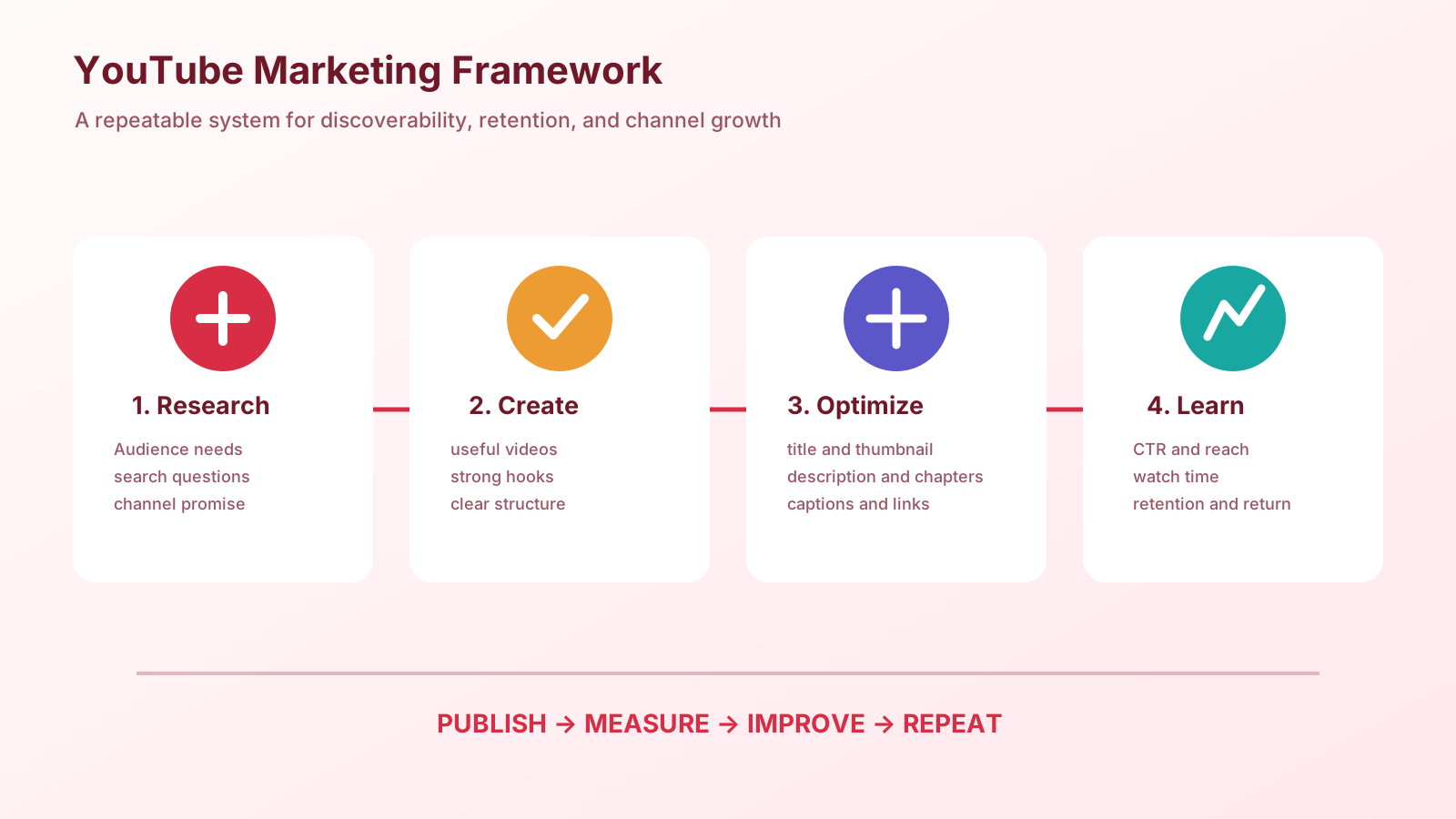
Below is an original infographic built specifically for this guide, mapping out the YouTube marketing system from initial channel setup through SEO, content strategy, monetization, advertising, and analytics. It was created for this module and is free to use with attribution back to this article.
Module 9 Mega Guide Summary
In this module, we covered why YouTube functions as both a search engine and a social platform — and why that dual nature gives it a discoverability advantage most channels take 12 to 24 months to fully leverage. We walked through how to set up a properly optimized channel (Brand Account, description, banner, trailer, playlists, and sections) so it converts visitors into subscribers from day one. We covered YouTube SEO in full — keyword research, title optimization, description structure, tags, chapters, closed captions, and the thumbnail's outsized role in click-through rate. We talked honestly about content strategy: the three metrics the algorithm weights most, the four-part video structure that holds viewer attention, the content types that work in 2026, and why consistency outweighs frequency every time. We covered the full monetization picture — YPP, affiliate marketing, sponsorships, and owned products — with honest numbers about what each revenue stream realistically looks like at different subscriber counts. We walked through YouTube advertising through Google Ads: the formats available, the targeting options that make YouTube uniquely powerful, and a sensible beginner approach to a first campaign. And we closed with the YouTube Studio analytics that actually predict growth, not just the vanity metrics most beginners fixate on.
Practice exercise: Go to YouTube's search bar and type three phrases a potential viewer in your niche might search for. Write down the top five autocomplete suggestions for each. These are your first keyword targets. Then write an optimized title, a 300-word description, and a chapter list for a video on the topic that appeared most in your autocomplete research. Before you record a single frame, you now know exactly what the video is about, who it's for, and how it will be found — which is exactly the right order to work in.
Frequently Asked Questions
Do I need expensive camera equipment to start a YouTube channel?
No — and this is one of the most common excuses for not starting. A smartphone filmed in good natural light with decent audio (an inexpensive lapel microphone makes a dramatic difference for under $20) produces content good enough to build a real audience. Upgrade your equipment when your channel's revenue justifies it, not before. The quality of your content — the clarity of your ideas, the structure of your videos, the consistency of your publishing — matters infinitely more than the quality of your camera sensor.
How long should my videos be?
The correct answer is: exactly as long as they need to be to fully deliver the value promised by the title and thumbnail — no longer. YouTube does not reward longer videos inherently; it rewards videos with high average percentage viewed. A 6-minute video where 75% of viewers watch all the way through will outperform a 20-minute video where viewers drop off at minute 4. That said, longer videos do allow more ad placements (YouTube can place mid-roll ads in videos over 8 minutes) and tend to perform well in educational and tutorial categories where depth is genuinely valuable.
Should I focus on long-form videos or YouTube Shorts?
Build your core channel on long-form content, which is where subscriber relationships and compounding search traffic are built. Use Shorts to supplement — to attract new viewers, test ideas quickly, and repurpose the most interesting 60 seconds from your long-form videos. A channel built on Shorts alone is far less stable and monetizable than one built on long-form content with Shorts as an additional traffic source.
How do I deal with Copyright issues when using music?
Use music from YouTube's Audio Library (free, available in YouTube Studio → Audio Library → Free Music), from royalty-free music platforms like Artlist or Epidemic Sound (paid subscriptions, but broad licensing), or create a simple Shorts or tutorial video with no background music at all. Using commercial music without proper licensing will get your video's audio muted, demonetized, or taken down — and disputing copyright claims is time-consuming and rarely successful.
How often will YouTube change the algorithm, and how do I keep up?
YouTube's algorithm is updated continuously, though major public announcements about changes are infrequent. The practical answer is: the core signals — watch time, CTR, viewer satisfaction measured through surveys — have remained consistent for years. Channels that focus on these fundamentals rather than chasing every reported algorithm change tend to outperform channels that treat algorithm optimization as the primary strategy. YouTube publishes a Creator Insider channel specifically for updates about platform changes — subscribing to it is more reliable than most third-party speculation.
What's Next?
In Module 10, we'll continue building your platform-specific marketing skills and move into the next major channel in the SmartGen Digital Marketing Course. Take a moment to revisit the earlier lessons in this course if you need a refresher — each module builds on what came before:
- Importance of Digital Marketing — How It Works and Key Concepts Every Beginner Should Know
- Introduction to Online Digital Marketing: A Beginner's Guide
- Module 1: Basic Image and Video Editing — Complete Guide to Filmora and Canva for Beginners
- Module 3: Social Media Marketing (SMM) — Advertising Concepts and Platform Selection
- Module 4: Meta (Facebook) Marketing — The Complete A to Z Mega Guide
- Module 5: Instagram Marketing — The Complete A to Z Mega Guide
- Module 6: X (Formerly Twitter) Marketing — The Complete A to Z Mega Guide
- Module 7: LinkedIn Marketing — The Complete A to Z Mega Guide
- Module 8: Pinterest Marketing — The Complete A to Z Mega Guide
About the Author
Sayad Md Bayezid Hosan is the founder of SmartGen Tools and the creator of the SmartGen Digital Marketing Course. With over five years of experience in SEO, content strategy, social media marketing, and digital tool development, he writes these modules to give every beginner the same practical, honest foundation he wishes had existed when he started. He publishes new modules and free tools at smartgentools.com.
This article was written by Sayad Md Bayezid Hosan for the SmartGen blog. For free tools to support your digital marketing journey, visit smartgentools.com.
SmartGen · Digital Marketing · Digital Marketing Course · Module 9 · YouTube Marketing · YouTube SEO · YouTube Ads · Video Marketing