
July 22, 2026 • Developer Tools • By Sayad Md Bayezid Hosan
Are you searching for a modern, fast, and highly customizable MkDocs alternative? Meet SmartGen Docs, an open-source static site generator engineered specifically for developers and technical writers who want to build beautiful project documentation effortlessly.
Created by Sayad Md Bayezid Hosan, SmartGen Docs is designed to be the ultimate competitor in the static site generation space, offering seamless Markdown transformation, lightning-fast build times, and deep integration with the broader SmartGen platform ecosystem.
SmartGen Docs is an open-source static site generator for project documentation, created by Sayad Md Bayezid Hosan. It allows for easy transformation of Markdown files into responsive websites, designed for developers and technical writers. Key features include Markdown support, static site generation, YAML configuration, live reload development server, customizable themes, CLI for project management, and API auto-generation. Users can quickly get started with installation and project setup by following detailed guides available in the documentation. Various resources, tutorials, and a community section encourage collaboration and knowledge sharing.
Home Welcome
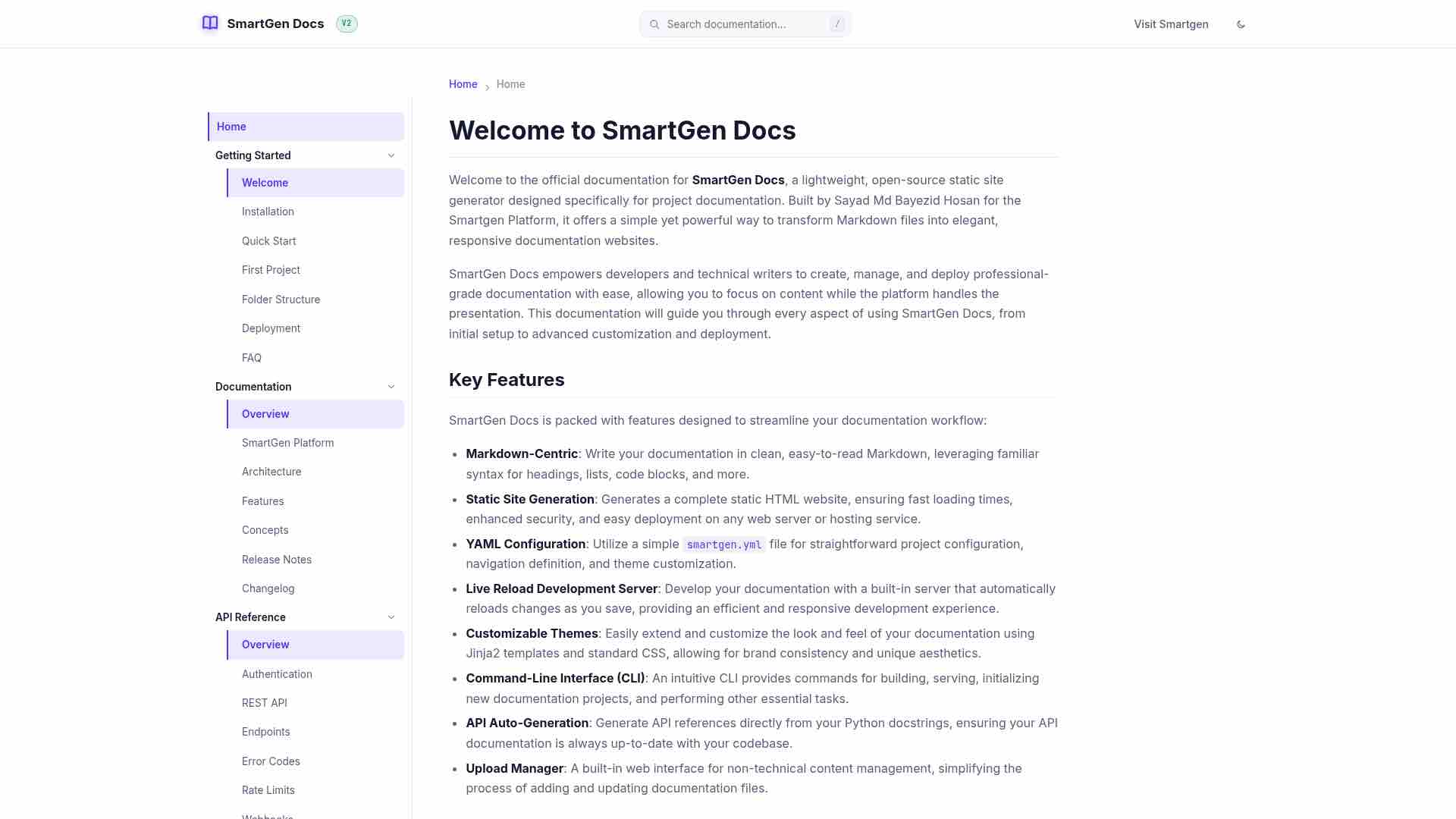
Getting Started with SmartGen Docs
Welcome to the Getting Started section of SmartGen Docs. This guide is designed to help you quickly set up your documentation project, understand its basic structure, and begin writing your content. Whether you're a new user or looking for a refresher, these pages will provide you with the essential information to kickstart your journey with SmartGen Docs.
SmartGen Docs simplifies the process of creating professional, responsive documentation websites from Markdown files. By following the steps outlined in this section, you will learn how to install the necessary tools, initialize a new project, and deploy your documentation.
In This Section
Explore the following topics to get started:
- Installation: Learn how to install SmartGen Docs on your local machine.
- Quick Start: A rapid guide to creating and serving your first documentation site.
- Your First Project: A detailed walkthrough of initializing a new project and understanding its components.
- Folder Structure: Understand the recommended directory layout for your SmartGen Docs project.
- Deployment: Instructions on how to deploy your generated static site to various hosting platforms.
- Frequently Asked Questions (FAQ): Answers to common questions and troubleshooting tips.
We recommend following these guides in order to ensure a smooth and comprehensive onboarding experience. Each page builds upon the knowledge gained from the previous one, providing a clear path to mastering SmartGen Docs.
PreviousRelease Notes Next Developer
Home Overview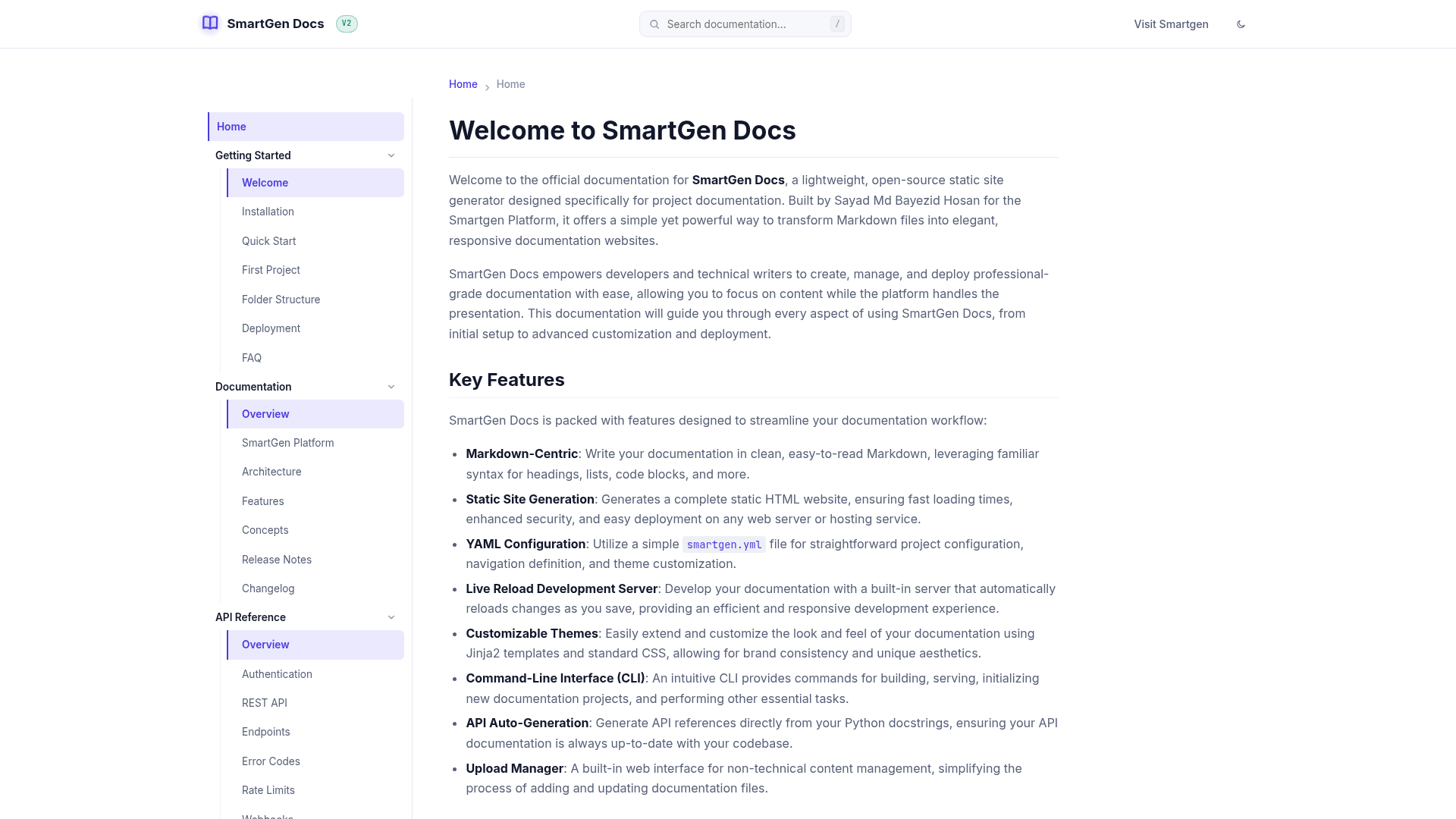
Welcome to the Core Documentation section of SmartGen Docs. This area provides an in-depth understanding of the platform itself, covering its underlying architecture, key features, fundamental concepts, and release history. Whether you are looking to understand how SmartGen Docs works under the hood or seeking detailed information about its capabilities, this section is your primary resource.
SmartGen Docs is built to be efficient and flexible, transforming your Markdown content into a polished static website. The pages within this section will help you grasp the technical aspects and design philosophies that make SmartGen Docs a powerful tool for documentation.
In This Section
Explore the following topics to gain a comprehensive understanding of SmartGen Docs:
- Overview: A general introduction to the core documentation.
- SmartGen Platform: Understand the broader SmartGen Platform and how SmartGen Docs fits into its ecosystem.
- Architecture: Delve into the technical architecture of SmartGen Docs, including its components and their interactions.
- Features: A detailed look at all the functionalities and capabilities offered by SmartGen Docs.
- Concepts: Explore the fundamental concepts and principles that underpin SmartGen Docs.
- Release Notes: Stay updated with new features, improvements, and bug fixes in each release.
- Changelog: A historical record of all changes made to the SmartGen Docs project.
We recommend starting with the Architecture and Concepts pages to build a strong foundation, then exploring other topics as needed. Each page is designed to provide clear, concise, and accurate information to enhance your understanding of SmartGen Docs.
PreviousRelease Notes Next Developer
The page outlines the recommended structure for organizing a SmartGen Docs project to enhance maintainability and scalability. The core project directory includes the main configuration file smartgen.yml, a docs/ directory for Markdown documentation files, and a site/ directory for the generated static website. Key details of each component are explained: \n\n1. smartgen.yml - Configures site settings like name, URL, author, description, theme, and navigation structure. \n2. docs/ - Contains source Markdown files, including a homepage and logically grouped guides/tutorials. \n3. site/ - Automatically generated HTML files from the Markdown sources, including necessary CSS and JavaScript files. \n\nBest practices suggest logical grouping of documentation, consistent naming conventions for files, and regular updates to the smartgen.yml to reflect changes in docs/. Following this structure ensures a well-organized documentation project.
Home SmartGen Platform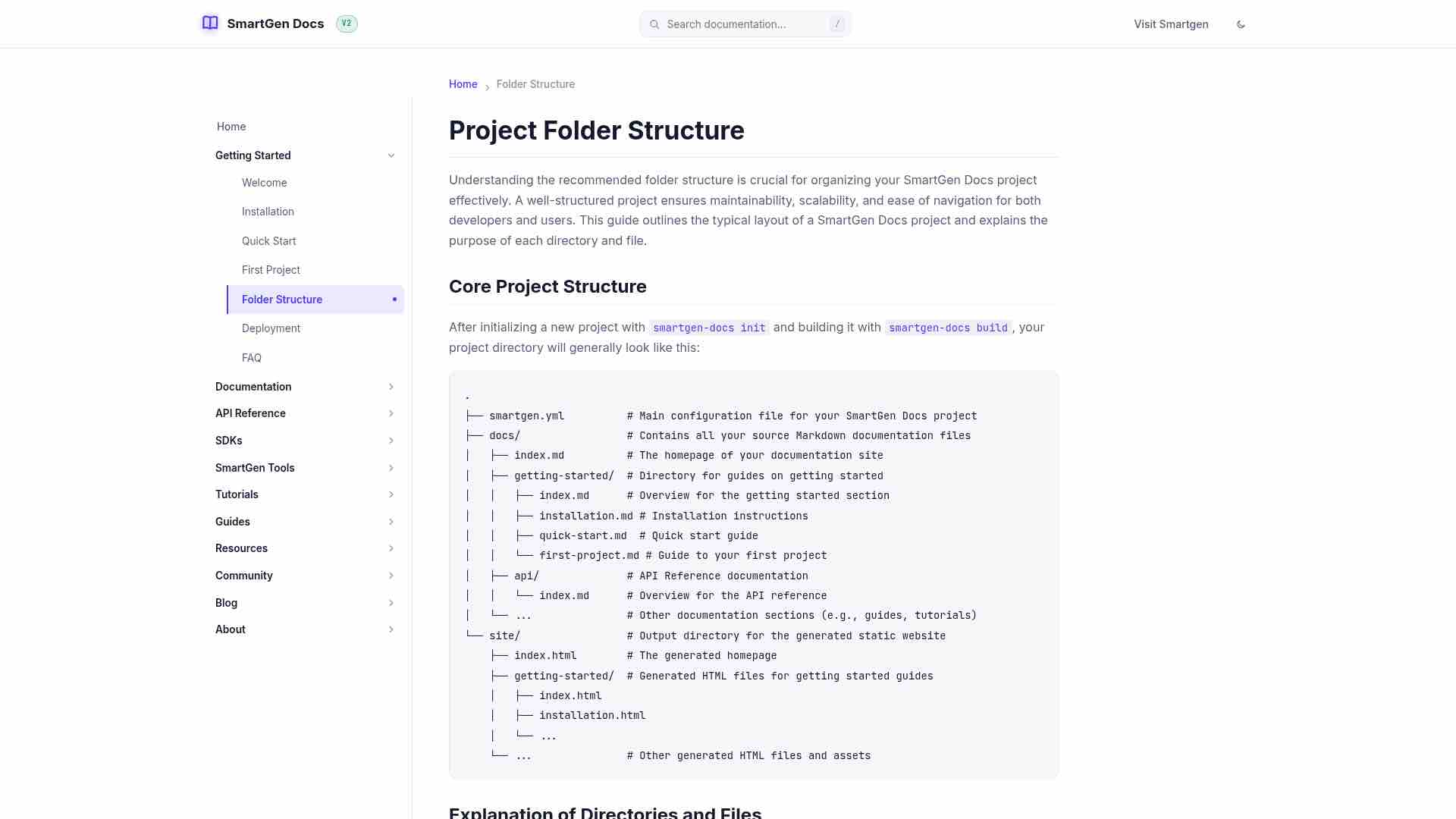
The SmartGen Platform and SmartGen Docs
SmartGen Docs is an integral part of the larger SmartGen Platform, an ecosystem of innovative tools and solutions developed by Sayad Md Bayezid Hosan. The platform aims to streamline various aspects of digital content creation, management, and deployment, catering to developers, marketers, and content creators alike.
Overview of the SmartGen Platform
The SmartGen Platform encompasses a suite of interconnected tools designed to enhance productivity and efficiency. While SmartGen Docs focuses specifically on documentation generation, other components of the platform address different needs, such as AI-powered content generation, SEO optimization, and various developer utilities. The core philosophy behind the SmartGen Platform is to provide robust, open-source, and user-friendly tools that empower individuals and teams to achieve their digital goals.
SmartGen Docs within the Ecosystem
SmartGen Docs plays a crucial role in the SmartGen Platform by providing a dedicated, high-quality solution for technical documentation. It leverages the platform's broader capabilities where relevant, such as potential integrations with AI tools for content suggestions or SEO tools for optimizing documentation discoverability. Its static site generation approach ensures that documentation is fast, secure, and easily deployable, complementing the dynamic nature of other SmartGen tools.
Key Integrations and Synergies
- Content Generation: Future integrations might allow SmartGen Docs to leverage AI tools from the platform to assist in drafting or refining documentation content.
- SEO Optimization: Documentation generated by SmartGen Docs can benefit from the platform's SEO tools to ensure high visibility in search engine results.
- Developer Tools: SmartGen Docs provides API reference generation, which directly supports developers using other SmartGen Platform tools by offering clear and accessible API documentation.
- Unified Experience: The consistent design principles and underlying technologies across the SmartGen Platform ensure a cohesive user experience, making it easy for users to transition between different tools.
Vision for the SmartGen Platform
The long-term vision for the SmartGen Platform is to create a comprehensive, interconnected suite of tools that simplifies the entire digital workflow. SmartGen Docs is a foundational piece of this vision, ensuring that every project built or supported by the platform has access to world-class documentation capabilities. As the platform evolves, SmartGen Docs will continue to integrate more deeply with other tools, offering an even more seamless and powerful experience for its users.
For more information on other tools available within the ecosystem, please visit the SmartGen Tools section.
PreviousOverview Next Architecture
The Core Documentation section of SmartGen Docs provides comprehensive information about the platform, including its architecture, features, and underlying concepts. It serves as a primary resource for understanding SmartGen Docs, which efficiently transforms Markdown content into a static website. Key topics include an overview of the documentation, the SmartGen platform, technical architecture, features, fundamental concepts, release notes, and a changelog. Users are encouraged to start with the Architecture and Concepts pages for a foundational understanding.
The Quick Start Guide for SmartGen Docs provides a step-by-step approach to creating and serving a documentation site. It includes four main sections: 1. Initialize a New Project: Use the command smartgen-docs init to set up the project, which creates configuration and an initial index.md file. 2. Write Your Documentation: Documentation is composed in Markdown, starting with editing docs/index.md and adding additional pages as needed, updating smartgen.yml for navigation. 3. Serve Your Documentation Locally: Run smartgen-docs serve to preview changes live on a local server. 4. Build Your Static Site: Execute smartgen-docs build to generate a static website in the site/ directory for deployment. The guide concludes with links for further learning and deployment.
Home Quick Start
Quick Start Guide
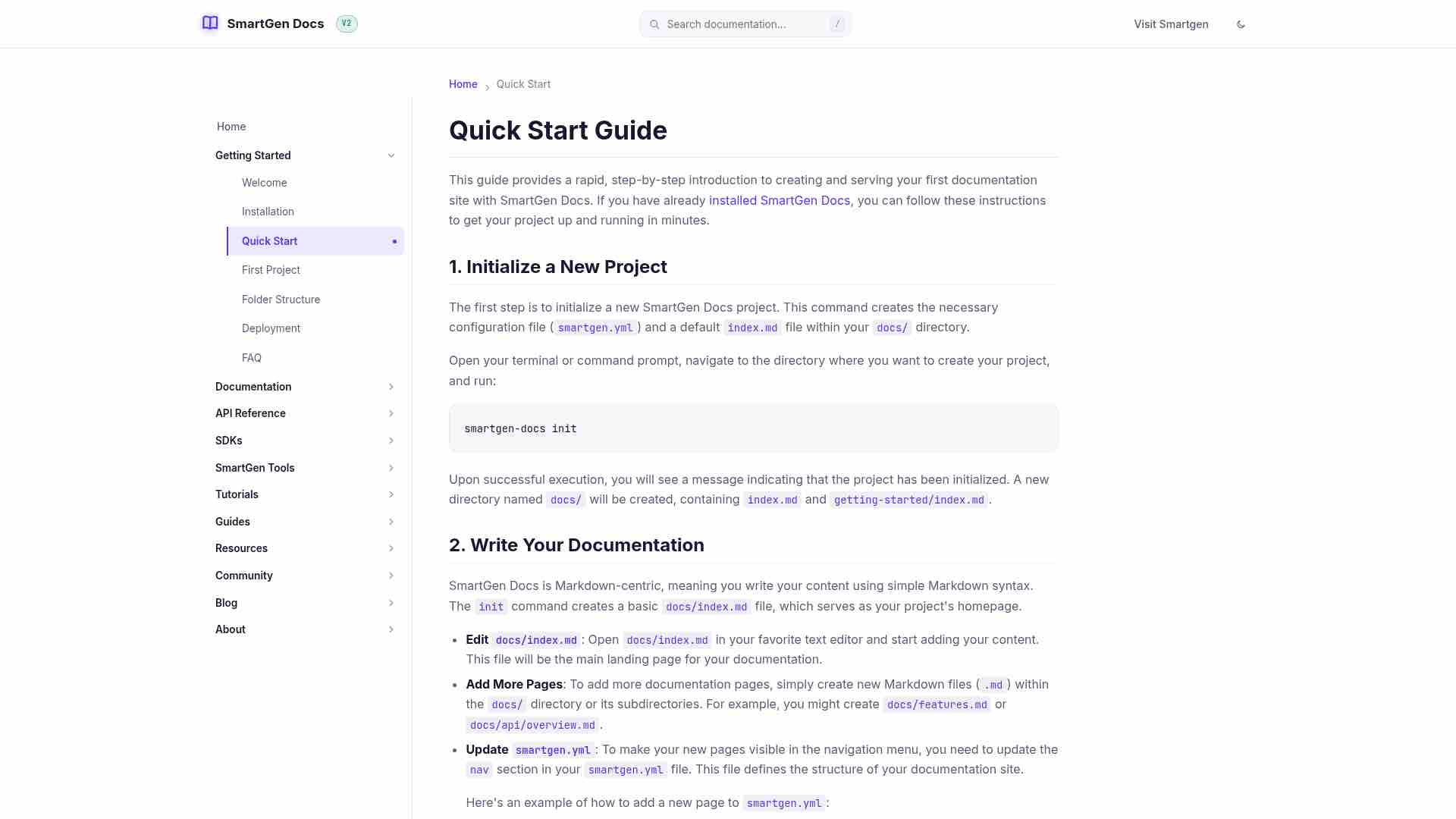
This guide provides a rapid, step-by-step introduction to creating and serving your first documentation site with SmartGen Docs. If you have already installed SmartGen Docs, you can follow these instructions to get your project up and running in minutes.
1. Initialize a New Project
The first step is to initialize a new SmartGen Docs project. This command creates the necessary configuration file (smartgen.yml) and a default index.md file within your docs/ directory.
Open your terminal or command prompt, navigate to the directory where you want to create your project, and run:
smartgen-docs init
Copy
Upon successful execution, you will see a message indicating that the project has been initialized. A new directory named docs/ will be created, containing index.md and getting-started/index.md.
2. Write Your Documentation
SmartGen Docs is Markdown-centric, meaning you write your content using simple Markdown syntax. The init command creates a basic docs/index.md file, which serves as your project's homepage.
- Edit
docs/index.md: Opendocs/index.mdin your favorite text editor and start adding your content. This file will be the main landing page for your documentation. - Add More Pages: To add more documentation pages, simply create new Markdown files (
.md) within thedocs/directory or its subdirectories. For example, you might createdocs/features.mdordocs/api/overview.md. - Update
smartgen.yml: To make your new pages visible in the navigation menu, you need to update thenavsection in yoursmartgen.ymlfile. This file defines the structure of your documentation site.
Here's an example of how to add a new page to smartgen.yml:
nav:
  - Home: index.md
  - Features: features.md
  - Getting Started:
      - Welcome: getting-started/index.md
Copy
3. Serve Your Documentation Locally
SmartGen Docs includes a built-in development server with live reloading, allowing you to preview your changes in real-time as you write. This is incredibly useful for iterative development and ensures your documentation looks as expected.
From your project's root directory (where smartgen.yml is located), run:
smartgen-docs serve
Copy
Open your web browser and navigate to http://localhost:8000 (or the port indicated in your terminal). You will see your documentation site, and any changes you save to your Markdown files or smartgen.yml will automatically refresh in the browser.
4. Build Your Static Site
Once you are satisfied with your documentation, you can build the static HTML files that are ready for deployment. This command generates a complete static website in the site/ directory.
From your project's root directory, run:
smartgen-docs build
Copy
After the command completes, a new site/ directory will be created (or updated) in your project's root. This directory contains all the HTML, CSS, and JavaScript files that make up your documentation website, ready to be hosted on any static web server.
Next Steps
Congratulations! You've successfully initialized, written, served, and built your first SmartGen Docs project. For a more in-depth understanding of the project structure and components, proceed to Your First Project. If you're ready to deploy your site, visit the Deployment Guide.
PreviousInstallation Next First Project
This guide provides a step-by-step process to install SmartGen Docs, a Python-based tool, using pip. It outlines prerequisites including Python 3.8+ and pip installation. The installation steps include opening a terminal, executing the installation command, and verifying the installation by using the help command. It also covers upgrading SmartGen Docs and offers links to a Quick Start Guide and troubleshooting resources.
Home Installation
Installation
This guide provides detailed instructions on how to install SmartGen Docs on your system. SmartGen Docs is a Python-based tool, and its installation is straightforward using pip.
Prerequisites
Before you begin, ensure you have the following installed on your system:
- Python 3.8+: SmartGen Docs requires Python 3.8 or a newer version. You can download Python from the official Python website.
- pip: The Python package installer, which usually comes bundled with Python. You can verify its installation by running
pip --versionin your terminal.
Installation Steps
Follow these steps to install SmartGen Docs:
Open your terminal or command prompt.
Install SmartGen Docs using pip:
Execute the following command:
pip install smartgen-docs
Copy
This command will download and install the latest version of SmartGen Docs and its dependencies from PyPI.
- Verify the installation (Optional):
To confirm that SmartGen Docs has been installed correctly, you can run the help command:
smartgen-docs --help
Copy
If the installation was successful, you will see a list of available commands and options for SmartGen Docs.
Upgrading SmartGen Docs
To upgrade SmartGen Docs to the latest version, use the following command:
pip install --upgrade smartgen-docs
Copy
This will replace your current installation with the newest available version, ensuring you have access to the latest features and bug fixes.
Next Steps
Once SmartGen Docs is installed, you are ready to create your first documentation project. Proceed to the Quick Start Guide to learn how to initialize and serve your documentation locally.
Troubleshooting
If you encounter any issues during installation, please refer to the Troubleshooting Guide or check the FAQ for common problems and solutions. If your issue persists, consider reporting it on our GitHub Issues page.
PreviousWelcome Next Quick Start
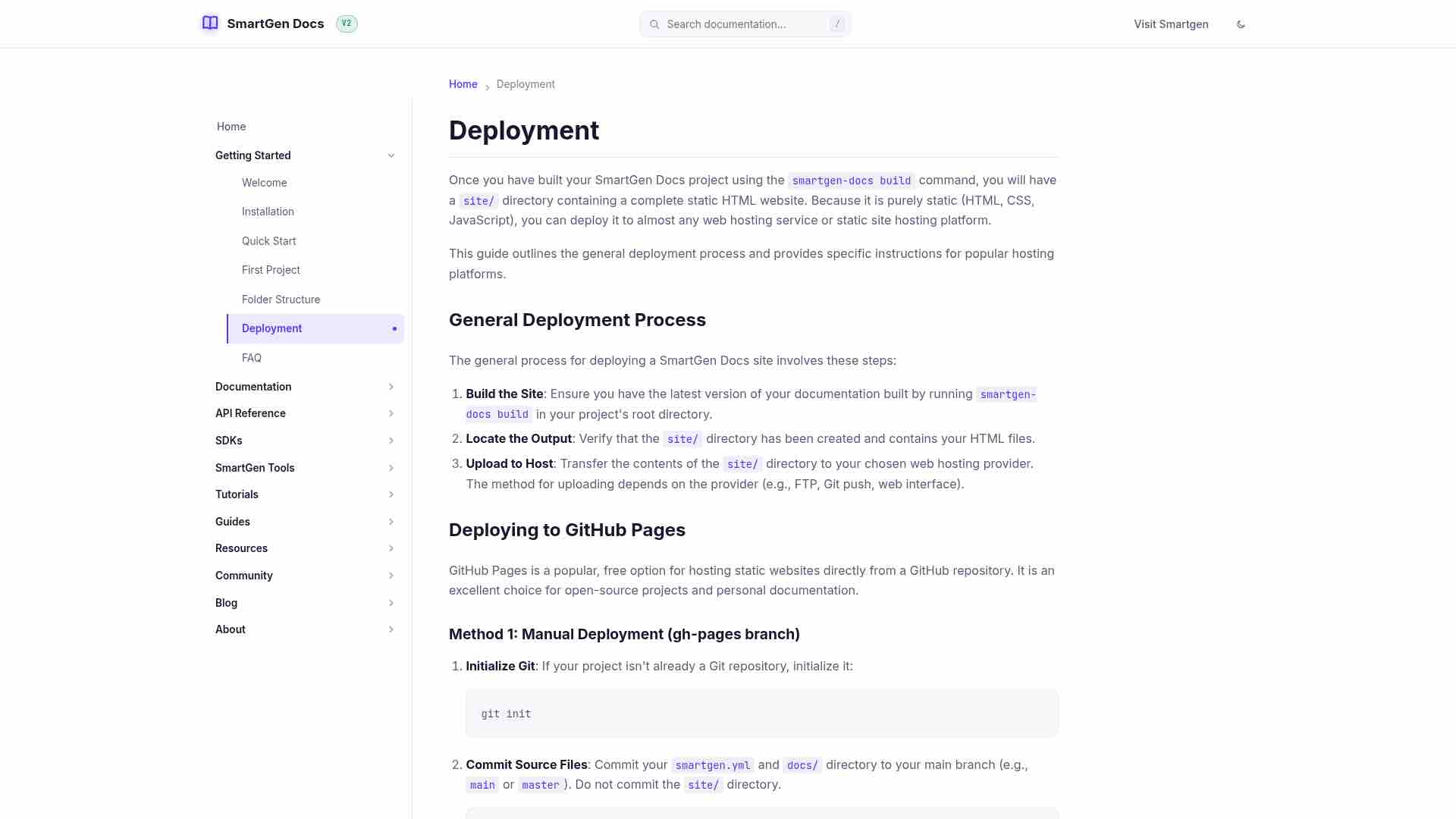
This guide outlines the deployment process for a SmartGen Docs project after running the smartgen-docs build command, generating a static HTML site. The deployment steps include:
- General Process: Build the site, locate the output in the
site/directory, and upload it to a hosting provider via FTP, Git push, etc. - GitHub Pages: Two methods: manual deployment using the
gh-pagesbranch or automating with GitHub Actions. - Netlify: Involves pushing the project to a Git repository, then creating and configuring a Netlify site for automatic deployment.
- Vercel: Similar to Netlify, it requires pushing to a Git repository and configuring the project settings in Vercel for deployment.
All methods provide a pathway for making documentation accessible online.
Home Folder Structure
Project Folder Structure
Understanding the recommended folder structure is crucial for organizing your SmartGen Docs project effectively. A well-structured project ensures maintainability, scalability, and ease of navigation for both developers and users. This guide outlines the typical layout of a SmartGen Docs project and explains the purpose of each directory and file.
Core Project Structure
After initializing a new project with smartgen-docs init and building it with smartgen-docs build, your project directory will generally look like this:
.
├── smartgen.yml          # Main configuration file for your SmartGen Docs project
├── docs/                 # Contains all your source Markdown documentation files
│   ├── index.md          # The homepage of your documentation site
│   ├── getting-started/  # Directory for guides on getting started
│   │   ├── index.md      # Overview for the getting started section
│   │   ├── installation.md # Installation instructions
│   │   ├── quick-start.md  # Quick start guide
│   │   └── first-project.md # Guide to your first project
│   ├── api/              # API Reference documentation
│   │   └── index.md      # Overview for the API reference
│   └── ...               # Other documentation sections (e.g., guides, tutorials)
└── site/                 # Output directory for the generated static website
    ├── index.html        # The generated homepage
    ├── getting-started/  # Generated HTML files for getting started guides
    │   ├── index.html
    │   ├── installation.html
    │   └── ...
    └── ...               # Other generated HTML files and assets
Copy
Explanation of Directories and Files
smartgen.yml
This is the central configuration file for your SmartGen Docs project. It is written in YAML format and controls various aspects of your documentation site, including:
site_name: The title of your documentation site.site_url: The base URL where your documentation will be hosted.site_author: The author of the documentation.site_description: A brief description for SEO purposes.theme: Specifies the theme to be used (e.g.,default,premium) and allows for palette and font customization.nav: Defines the navigation structure of your documentation. This is where you link your Markdown files to create the menu hierarchy.
For more details on configuring your project, refer to the Configuration Guide.
docs/ Directory
This directory is where all your Markdown source files (.md) are stored. Each Markdown file within this directory (and its subdirectories) will be processed by SmartGen Docs and converted into an HTML page in the final static site. The structure you create within the docs/ directory often mirrors the navigation structure defined in smartgen.yml.
index.md: This file is typically the main entry point or homepage of your documentation. It provides an overview of your project.- Subdirectories (e.g.,
getting-started/,api/,guides/): These are used to logically group related documentation pages. For instance, all guides related to getting started are placed indocs/getting-started/.
site/ Directory
This directory is automatically generated when you run the smartgen-docs build command. It contains the complete static website, including:
- HTML Files: Each Markdown file from the
docs/directory is converted into a corresponding HTML file (e.g.,docs/installation.mdbecomessite/installation.html). - CSS and JavaScript Assets: The
site/directory also includes all the necessary CSS stylesheets and JavaScript files required for your documentation site to function and display correctly. - Static Assets: Any other static assets (like images, favicons) defined in your theme or copied manually will also reside here.
Important: The site/ directory should generally not be manually edited, as its contents are overwritten each time you run smartgen-docs build. It is intended for deployment purposes.
Best Practices for Organization
- Logical Grouping: Organize your Markdown files into logical categories using subdirectories within
docs/. This makes it easier to find and manage content. - Consistent Naming: Use consistent and descriptive filenames for your Markdown files (e.g.,
installation.md,api-overview.md). - Update
smartgen.yml: Always ensure that yoursmartgen.ymlfile accurately reflects the structure of yourdocs/directory and provides a clear navigation path for your users.
By adhering to this folder structure, you can maintain a clean, organized, and easily navigable documentation project with SmartGen Docs.
PreviousFirst Project Next Deployment
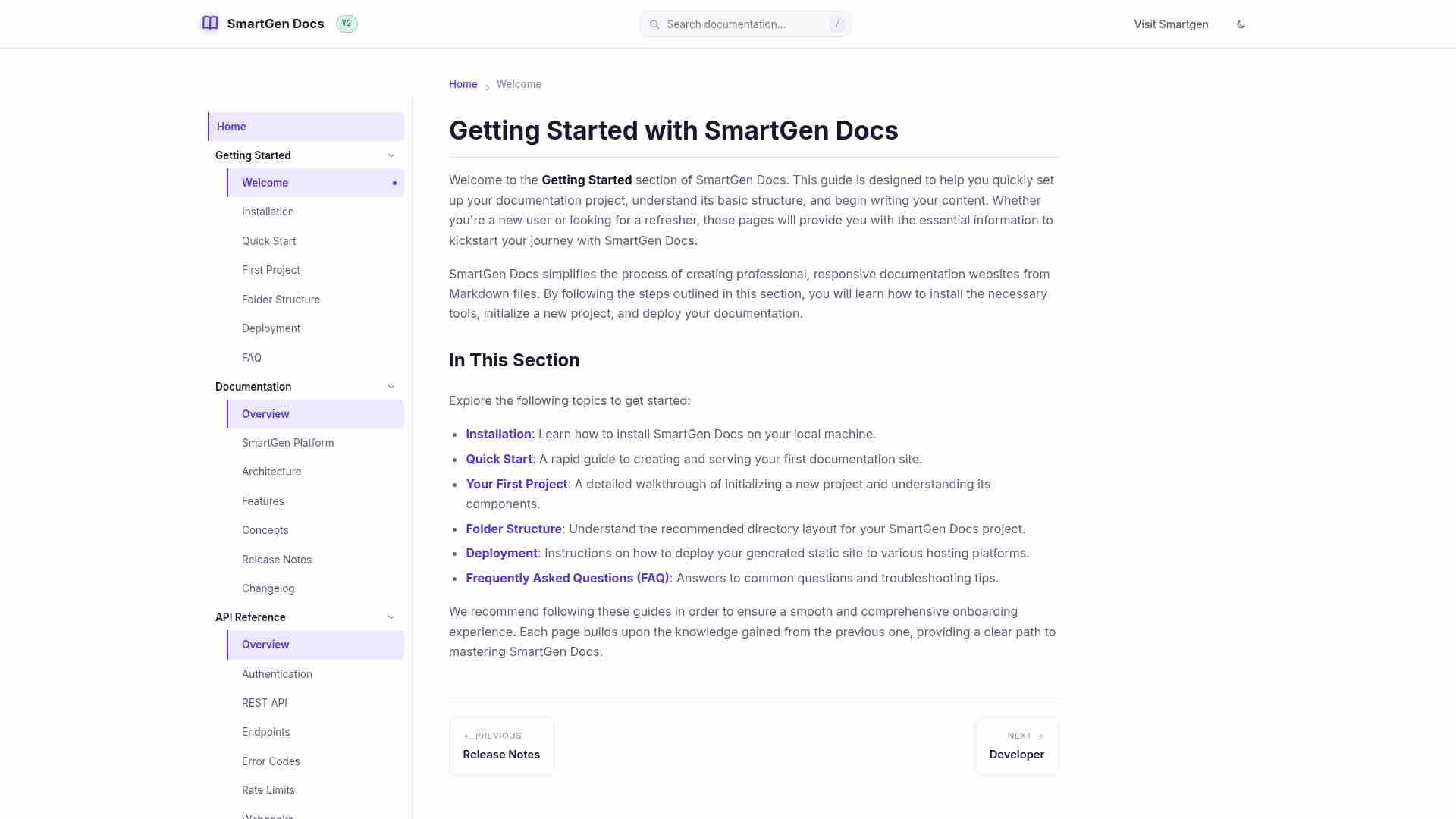
The 'Getting Started' section of SmartGen Docs helps users set up their documentation projects. It covers installation, creating a site, project initialization, folder structure, deployment methods, and frequently asked questions. The guide provides a structured approach to quickly acquire the necessary information to use SmartGen Docs effectively.
Home Welcome
Getting Started with SmartGen Docs
Welcome to the Getting Started section of SmartGen Docs. This guide is designed to help you quickly set up your documentation project, understand its basic structure, and begin writing your content. Whether you're a new user or looking for a refresher, these pages will provide you with the essential information to kickstart your journey with SmartGen Docs.
SmartGen Docs simplifies the process of creating professional, responsive documentation websites from Markdown files. By following the steps outlined in this section, you will learn how to install the necessary tools, initialize a new project, and deploy your documentation.
In This Section
Explore the following topics to get started:
- Installation: Learn how to install SmartGen Docs on your local machine.
- Quick Start: A rapid guide to creating and serving your first documentation site.
- Your First Project: A detailed walkthrough of initializing a new project and understanding its components.
- Folder Structure: Understand the recommended directory layout for your SmartGen Docs project.
- Deployment: Instructions on how to deploy your generated static site to various hosting platforms.
- Frequently Asked Questions (FAQ): Answers to common questions and troubleshooting tips.
We recommend following these guides in order to ensure a smooth and comprehensive onboarding experience. Each page builds upon the knowledge gained from the previous one, providing a clear path to mastering SmartGen Docs.
PreviousRelease Notes Next Developer
The SmartGen Platform, developed by Sayad Md Bayezid Hosan, is an ecosystem of tools designed for digital content creation and management. Key components include SmartGen Docs, which focuses on high-quality technical documentation generation. The platform offers features such as AI-powered content generation and SEO optimization, aimed at improving productivity for developers, marketers, and content creators. SmartGen Docs enhances documentation with potential AI and SEO integrations, ensuring discoverability and user-friendly experience. The vision for the SmartGen Platform is to create a comprehensive suite that streamlines digital workflows, with SmartGen Docs serving as a crucial component.
This guide outlines the process of initializing a new SmartGen Docs project, detailing its core components and project structure. It includes steps for using the init command to create the essential files: smartgen.yml, which configures the project; the docs/ directory for Markdown content; and default index files for the homepage and Getting Started section. The project structure is represented hierarchically, and customization of the smartgen.yml file is emphasized, allowing users to define site metadata, theme, and navigation. Additionally, the guide notes that new content can be added as Markdown files, encouraging effective organization.
Home First Project
Your First SmartGen Docs Project
This guide provides a detailed walkthrough of initializing a new SmartGen Docs project and understanding its core components. If you have followed the Installation Guide and the Quick Start Guide, you are ready to delve deeper into the structure of your documentation site.
1. Initializing the Project
As covered in the Quick Start, you initialize a new project using the init command:
smartgen-docs init
Copy
This command performs several key actions:
- Creates
smartgen.yml: This is the central configuration file for your SmartGen Docs project. It defines your site's name, navigation structure, theme, and other global settings. You will frequently interact with this file to customize your documentation. - Creates
docs/directory: This directory is the heart of your documentation content. All your Markdown files (.md) that will be converted into HTML pages reside here. - Creates
docs/index.md: This file serves as the homepage for your documentation site. It's the first page users will see when they visit your documentation. - Creates
docs/getting-started/index.md: This is a placeholder for the Getting Started section's overview page.
2. Understanding the Project Structure
After initialization, your project directory will have a structure similar to this:
.
├── smartgen.yml          # Project configuration
├── docs/                 # Your Markdown documentation files
│   ├── index.md          # Homepage of your documentation
│   └── getting-started/  # Directory for getting started guides
│       └── index.md      # Overview for the getting started section
└── site/                 # Generated static website (after running `smartgen-docs build`)
    ├── index.html
    └── ...
Copy
smartgen.yml: This YAML file is where you configure your site. It controls the site's title, author, description, theme, and most importantly, the navigation structure. Thenavsection dictates the order and hierarchy of your documentation pages.docs/: This directory contains all your source Markdown files. Each Markdown file (.md) will be transformed into an HTML page in your final documentation site. You can create subdirectories withindocs/to organize your content logically, mirroring your navigation structure.site/: This directory is generated when you runsmartgen-docs build. It contains the complete static HTML, CSS, and JavaScript files that make up your documentation website. This is the content you will deploy to a web server.
3. Customizing smartgen.yml
The smartgen.yml file is crucial for defining your documentation's structure and appearance. Here are some key sections you'll work with:
site_name: My Awesome Docs
site_url: https://example.com/docs
site_author: John Doe
site_description: Comprehensive documentation for my awesome project.

theme:
  name: premium # Or 'default'
  palette:
    primary: "#007bff"
    accent: "#ffc107"

nav:
  - Home: index.md
  - Introduction: introduction.md
  - Features:
      - Feature A: features/feature-a.md
      - Feature B: features/feature-b.md
  - API Reference: api/index.md
Copy
site_name,site_url,site_author,site_description: These fields define basic metadata for your site, used in headers, footers, and SEO.theme: This section allows you to select a theme (defaultorpremium) and customize its colors and fonts.nav: This is the most important section for content organization. It defines the main navigation menu of your documentation. You can create nested menus by listing sub-pages under a main category. The paths specified here are relative to yourdocs/directory.
4. Adding Content
To add new content, simply create a new Markdown file in the docs/ directory or a relevant subdirectory. For example, to add a page about new features, you might create docs/features.md and then add it to your smartgen.yml navigation.
Next Steps
Now that you understand the project structure, you can proceed to organize your content effectively. Learn more about the recommended Folder Structure for best practices.
PreviousQuick Start Next Folder Structure
Home Deployment
Deployment
Once you have built your SmartGen Docs project using the smartgen-docs build command, you will have a site/ directory containing a complete static HTML website. Because it is purely static (HTML, CSS, JavaScript), you can deploy it to almost any web hosting service or static site hosting platform.
This guide outlines the general deployment process and provides specific instructions for popular hosting platforms.
General Deployment Process
The general process for deploying a SmartGen Docs site involves these steps:
- Build the Site: Ensure you have the latest version of your documentation built by running
smartgen-docs buildin your project's root directory. - Locate the Output: Verify that the
site/directory has been created and contains your HTML files. - Upload to Host: Transfer the contents of the
site/directory to your chosen web hosting provider. The method for uploading depends on the provider (e.g., FTP, Git push, web interface).
Deploying to GitHub Pages
GitHub Pages is a popular, free option for hosting static websites directly from a GitHub repository. It is an excellent choice for open-source projects and personal documentation.
Method 1: Manual Deployment (gh-pages branch)
- Initialize Git: If your project isn't already a Git repository, initialize it:
git init
Copy
- Commit Source Files: Commit your
smartgen.ymlanddocs/directory to your main branch (e.g.,mainormaster). Do not commit thesite/directory.
echo "site/" >> .gitignore
git add .
git commit -m "Initial commit of documentation source"
Copy
Build the Site: Run
smartgen-docs build.Deploy using a tool like
gh-pages: You can use thegh-pagesnpm package to easily push thesite/directory to agh-pagesbranch.
npx gh-pages -d site
Copy
- Configure GitHub Pages: Go to your repository settings on GitHub, navigate to the "Pages" section, and select the
gh-pagesbranch as the source.
Method 2: Automated Deployment with GitHub Actions
For a more robust workflow, you can automate the build and deployment process using GitHub Actions. This ensures your site is updated automatically whenever you push changes to your main branch.
- Create a file named
.github/workflows/deploy.ymlin your repository. - Add the following configuration (adjust as needed for your specific setup):
name: Deploy SmartGen Docs

on:
     push:
       branches:
      - main # Or your default branch

jobs:
build-and-deploy:
    runs-on: ubuntu-latest
    steps:
      - name: Checkout repository
        uses: actions/checkout@v3

      - name: Set up Python
        uses: actions/setup-python@v4
        with:
          python-version: '3.x'

      - name: Install dependencies
        run: |
          pip install smartgen-docs

      - name: Build documentation
        run: smartgen-docs build

      - name: Deploy to GitHub Pages
        uses: peaceiris/actions-gh-pages@v3
        with:
          github_token: ${{ secrets.GITHUB_TOKEN }}
          publish_dir: ./site
Copy
Deploying to Netlify
Netlify is another excellent platform for hosting static sites, offering continuous deployment from Git repositories.
Push to Git: Ensure your project (excluding the
site/directory) is pushed to a Git repository (GitHub, GitLab, or Bitbucket).Create a Netlify Site: Log in to Netlify and click "Add new site" -> "Import an existing project".
Connect Repository: Connect your Git provider and select your documentation repository.
Configure Build Settings:
- Build command:
pip install smartgen-docs && smartgen-docs build - Publish directory:
site
- Build command:
Deploy: Click "Deploy site". Netlify will automatically build and deploy your documentation.
Deploying to Vercel
Vercel is a platform optimized for frontend frameworks and static sites, providing fast global deployment.
Push to Git: Ensure your project is in a Git repository.
Import Project: Log in to Vercel and click "Add New..." -> "Project".
Select Repository: Import your documentation repository.
Configure Build Settings:
- Framework Preset: Other
- Build Command:
pip install smartgen-docs && smartgen-docs build - Output Directory:
site
Deploy: Click "Deploy". Vercel will handle the build and deployment process.
By following these instructions, you can easily make your SmartGen Docs documentation accessible to the world.
PreviousFolder Structure Next FAQ
The FAQ section for SmartGen Docs covers common inquiries regarding its use, installation, and features. SmartGen Docs is an open-source static site generator that simplifies the creation of documentation websites from Markdown files. Key benefits include ease of use, fast loading times, flexibility, and compatibility with various deployment platforms. Installation requires Python 3.8 or newer. Users can install or upgrade SmartGen Docs via pip. The documentation structure necessitates placing Markdown files in a 'docs/' directory. To add a new page, users must create a Markdown file and update the 'smartgen.yml' configuration. Local previews and builds for deployment are straightforward, and the site can be deployed to GitHub Pages.
Home FAQ
Frequently Asked Questions (FAQ)
This section addresses common questions and provides solutions to frequently encountered issues when working with SmartGen Docs. If you don't find the answer to your question here, please refer to the Troubleshooting Guide or open an issue on our GitHub Repository.
General Questions
What is SmartGen Docs?
SmartGen Docs is a lightweight, open-source static site generator designed to help you create professional and responsive documentation websites from Markdown files. It focuses on simplicity, speed, and ease of deployment.
Is SmartGen Docs free to use?
Yes, SmartGen Docs is open-source and completely free to use under the MIT License.
What are the main benefits of using SmartGen Docs?
Key benefits include:
- Simplicity: Easy to learn and use, especially for those familiar with Markdown.
- Speed: Generates static HTML, resulting in fast-loading websites.
- Flexibility: Customizable themes and a clear project structure.
- Open Source: Community-driven development and transparent codebase.
- Deployment: Easy deployment to various static site hosting platforms like GitHub Pages, Netlify, and Vercel.
What are the system requirements for SmartGen Docs?
SmartGen Docs requires Python 3.8 or newer and pip for installation. No other specific system requirements are typically needed beyond a standard development environment.
Installation and Setup
How do I install SmartGen Docs?
You can install SmartGen Docs using pip:
pip install smartgen-docs
Copy
For detailed instructions, refer to the Installation Guide.
How do I upgrade SmartGen Docs to the latest version?
To upgrade, use the following pip command:
pip install --upgrade smartgen-docs
Copy
What should I do if smartgen-docs command is not found after installation?
This usually indicates that the Python scripts directory is not in your system's PATH. Ensure that pip's installation directory is included in your system's PATH environment variable. You might need to restart your terminal after installation.
Can I use a custom theme with SmartGen Docs?
Yes, SmartGen Docs supports customizable themes using Jinja2 templates. You can modify existing themes or create your own. Refer to the Customization Guide for more information.
Project Structure and Content
Where should I put my Markdown files?
All your Markdown source files (.md) should be placed within the docs/ directory of your project. You can create subdirectories within docs/ to organize your content logically.
How do I add a new page to my documentation?
- Create a new Markdown file (e.g.,
docs/my-new-page.md). - Add the new page to the
navsection of yoursmartgen.ymlfile to make it appear in the navigation menu. For example:
nav:
  - Home: index.md
  - My New Page: my-new-page.md
Copy
How do I create nested navigation menus?
You can create nested menus in your smartgen.yml by defining a dictionary where the key is the parent menu item and the value is a list of its child pages. For example:
nav:
  - Home: index.md
  - Parent Section:
      - Child Page 1: parent-section/child-page-1.md
      - Child Page 2: parent-section/child-page-2.md
Copy
Refer to the Folder Structure Guide and Configuration Guide for more details.
Building and Serving
How do I preview my documentation locally?
Run the following command from your project's root directory:
smartgen-docs serve
Copy
This starts a development server with live reloading, accessible at http://localhost:8000 by default.
How do I build the static site for deployment?
Execute the build command from your project's root directory:
smartgen-docs build
Copy
This will generate all static HTML, CSS, and JavaScript files into the site/ directory.
Can I deploy my SmartGen Docs site to GitHub Pages?
Yes, SmartGen Docs sites are perfectly suited for GitHub Pages. You can deploy manually or automate the process using GitHub Actions. See the Deployment Guide for detailed instructions.
PreviousDeployment Next Overview
— Written by Sayad Md Bayezid Hosan for the SmartGen blog
 ✓
✓
Sayad Md Bayezid Hosan
Founder & Tech Entrepreneur | Full-Stack Developer
Full-stack Web Developer, Digital Marketing Strategist, and Tech Entrepreneur with 5+ years of experience delivering innovative digital solutions. Specializing in web development, AI integration, strategic digital marketing, and tech entrepreneurship. As a leading Tech Provider, I help audiences navigate digital platforms safely through permission-based technical solutions and digital business asset management.
Credentials & Expertise:
- Founder of CWB Agency & GenZFrontier
- Final-year English Student at Northern University Bangladesh
- Specialized in AI-powered web development & content strategy
- Published author on tech, digital marketing & entrepreneurship